
The trial notebook for the Mac.
One file runs the case from your desk to counsel table, and your trial never leaves your Mac.
macOS 26 or later on a Mac with Apple silicon. One license covers two of your own Macs. Founding Counsel is the first 250 seats, with 24 months of updates; it becomes $599 at general release. Every price.
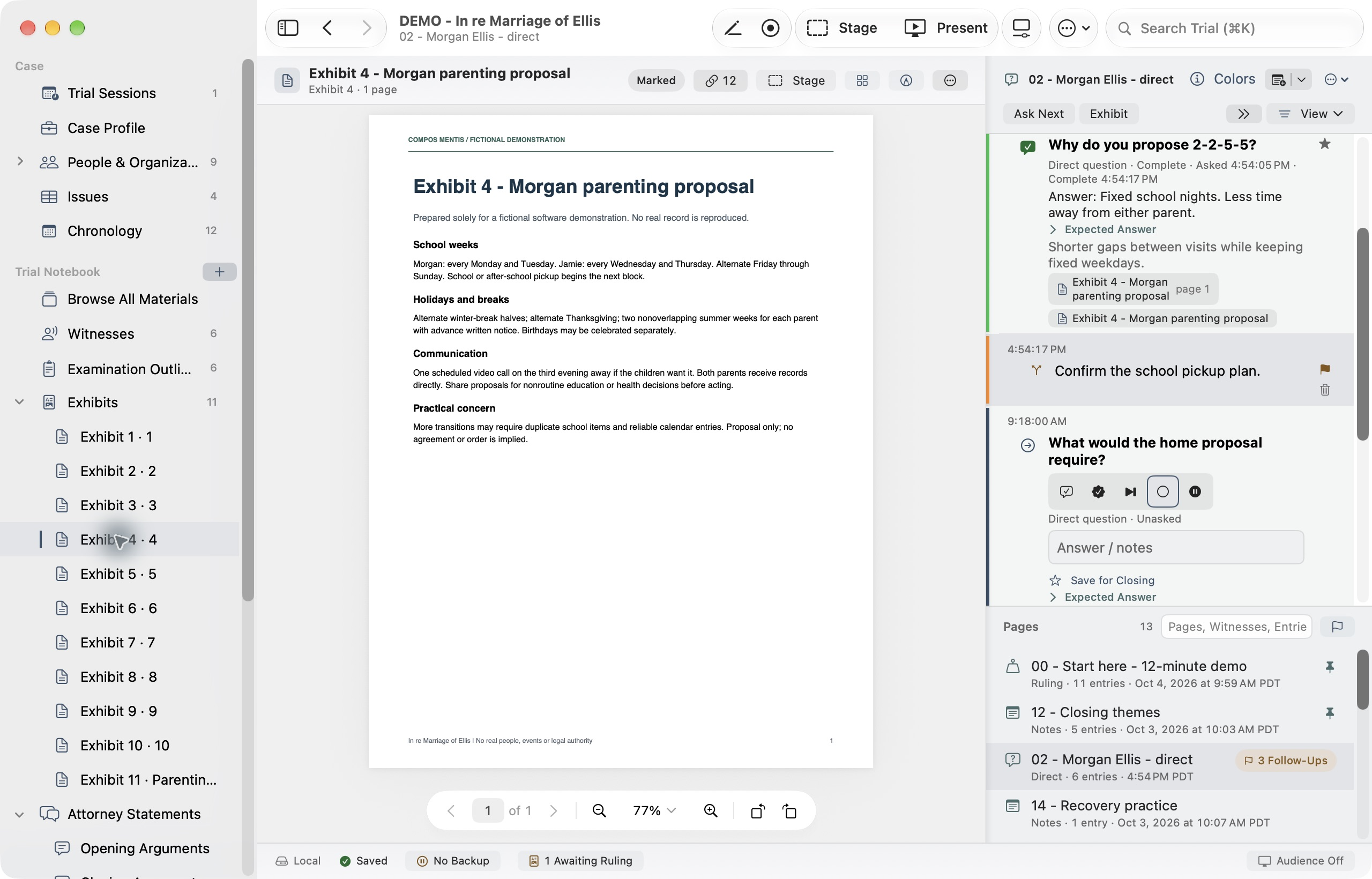
From the next question to the final word.
Follow a fictional Ellis examination, record the answer, find its source and check a private callout. Finish with closeout, a Panic Binder and a choice of appearances. Captions carry the story; no audio is needed.
Actual Compos Mentis 1.0.1 development build. Fictional people, evidence and training authorities. Read the film transcript · Download the film.
One trial. One file. On your Mac.
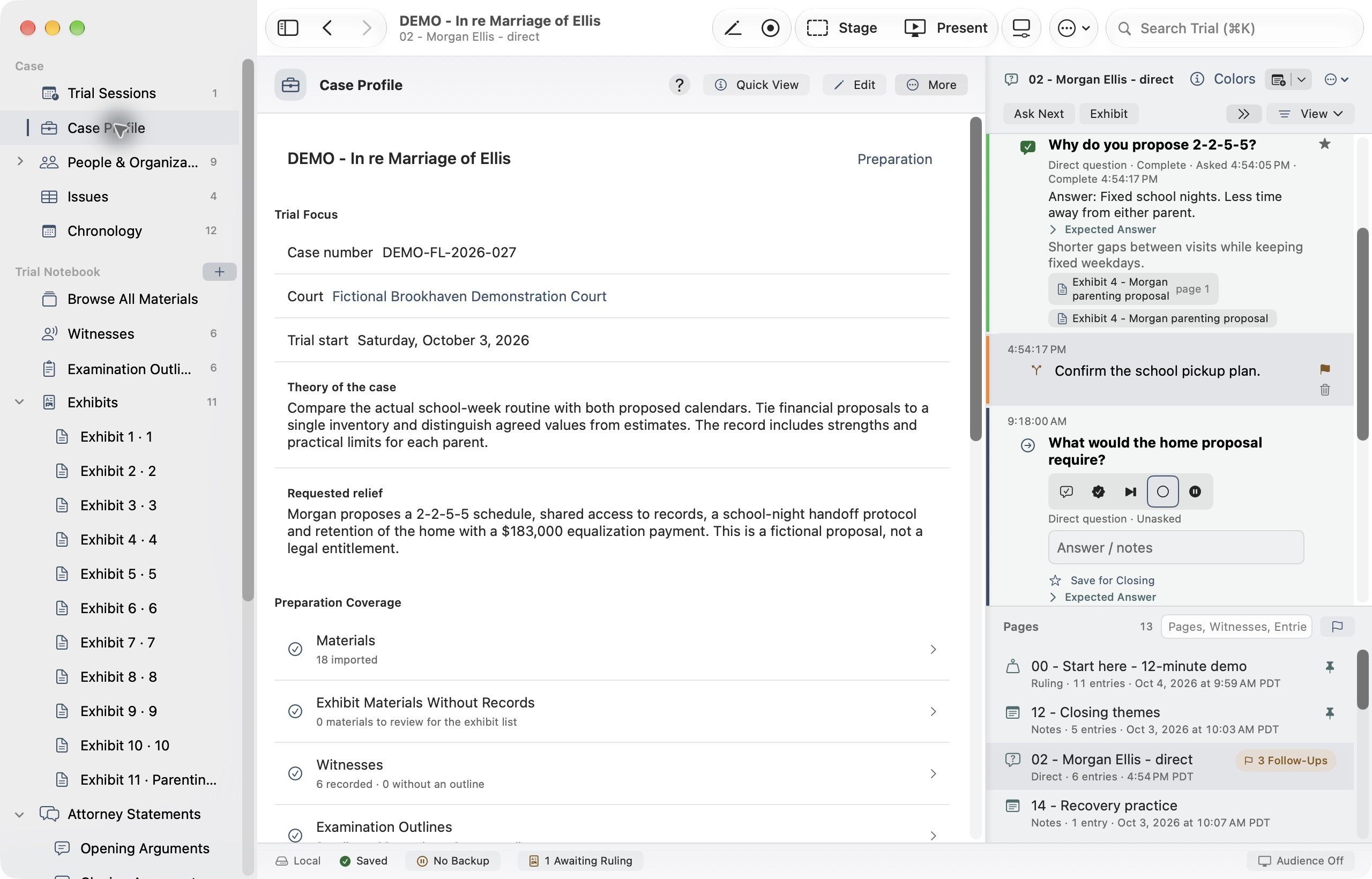
The case file, the witnesses and outlines, live notes that keep up with testimony, exhibits and rulings, the law you rely on, the courtroom screen, recordings, the end-of-day closeout and the paper fallback: one document you can open, copy and back up. Your courtroom work runs offline.
- 10:02 AMExhibit 4 shows Admitted on every linked row.
- Originals never change
- Every PDF, image, transcript and recording you import is kept exactly as received. Highlights, rotation, callouts and cleanup never touch them.
- Safe where it lives
- Compos Mentis won't edit a live trial inside a syncing cloud folder, where sync conflicts can corrupt it. Those folders are for backups.
- Case, people, issues, chronology
- Court, judge, schedule and the theory of the case on one page. Enter a person once and reuse them as witness, party or counsel. Track each issue's standard, burden and the proof linked to it.
- Status everywhere
- Change an exhibit's or a witness's status once on the record and every linked row follows.
Prepare at the desk the way you'll use it at the table.
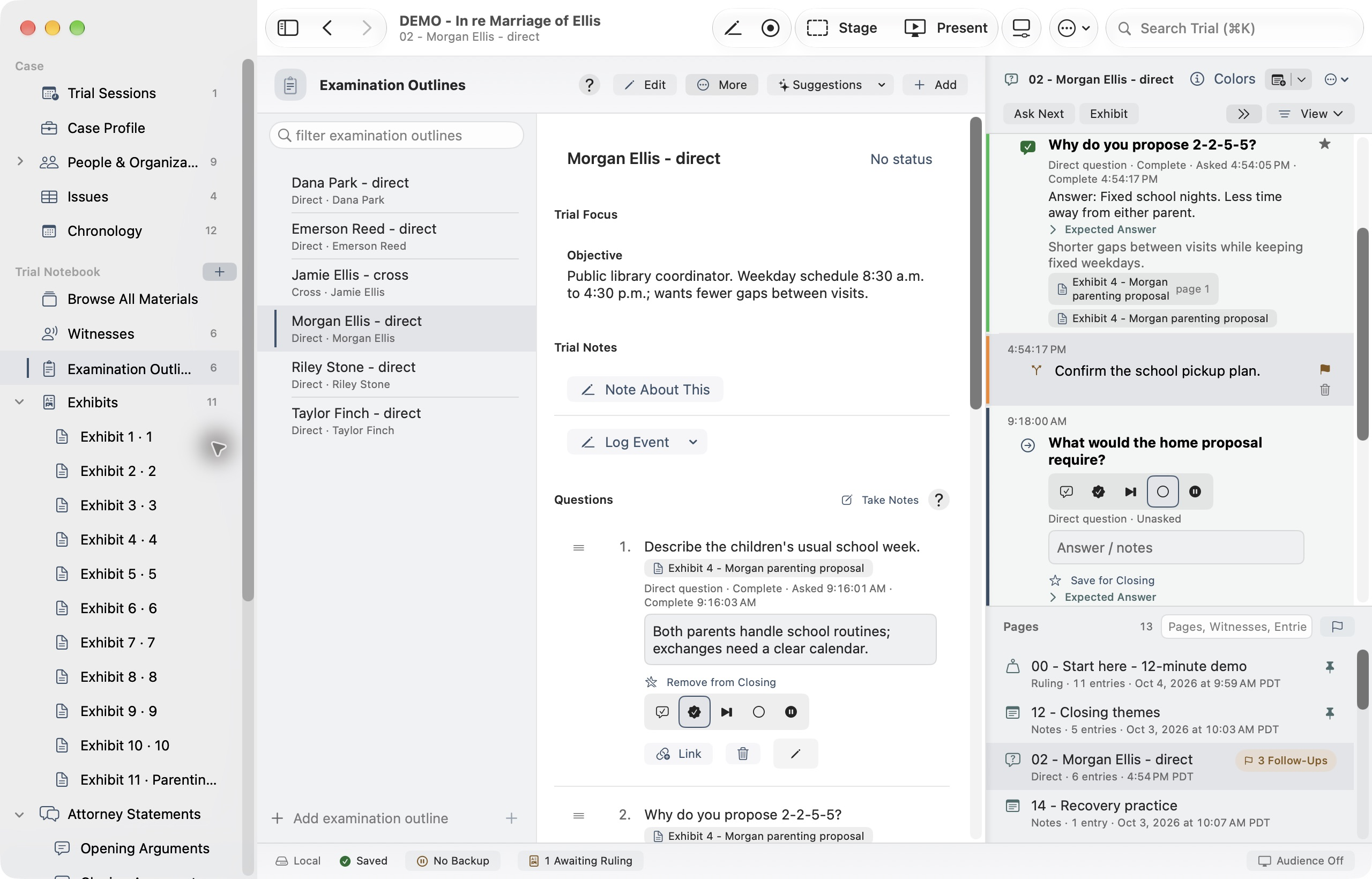
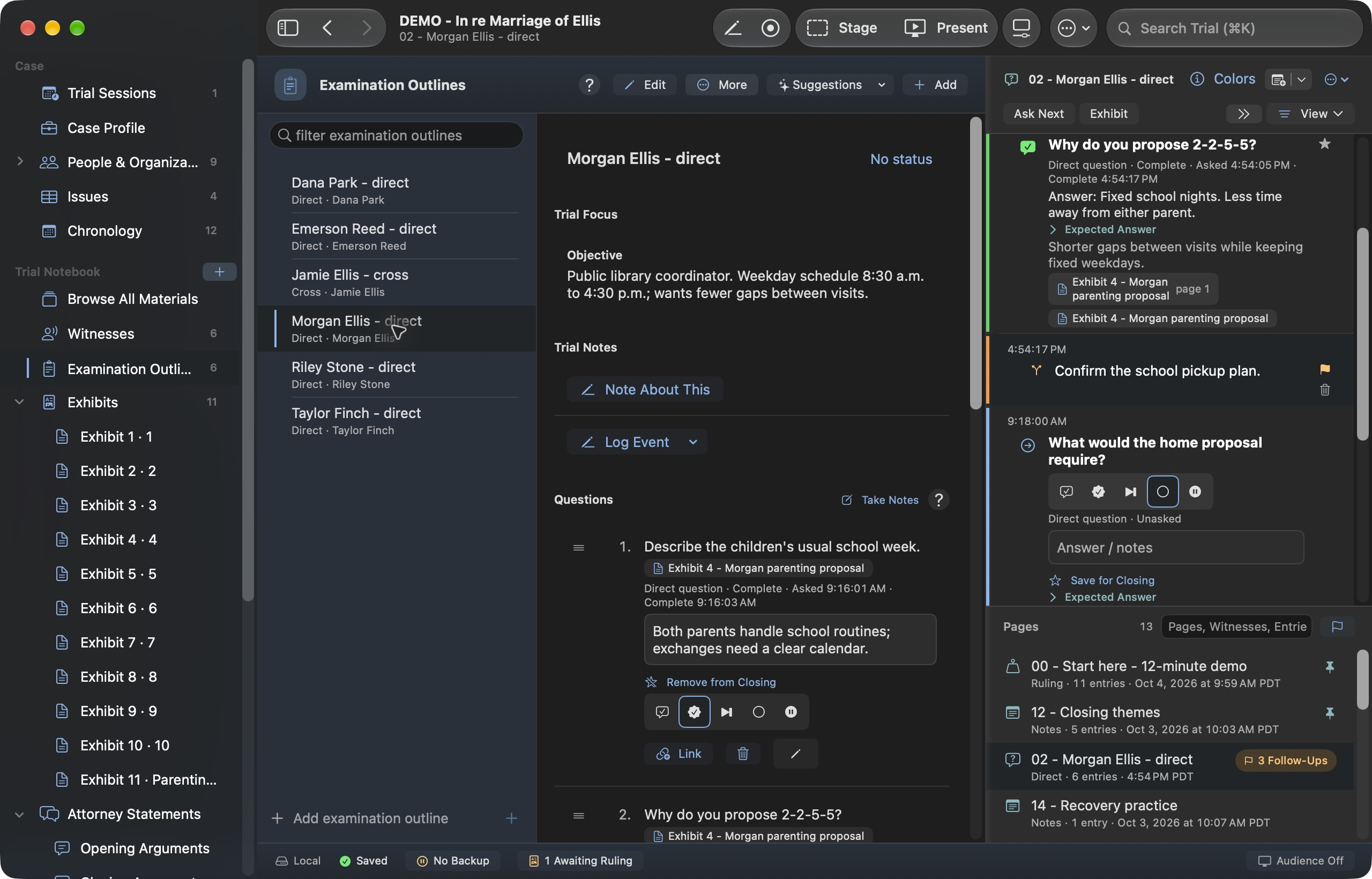
Outlines, exhibits and witnesses are built before trial so that in court the next question is one key away.
- 10:10 AMWhat would the home proposal require?⌘↩
- Paste an outline from Word
- Lists become nested questions, bold lines become topics, and A: lines fill the expected answer. New questions stay in view as you type. One Undo.
- An exhibit list from filenames
- PX-001 Email Smith.pdf becomes Exhibit PX-001, offered by Plaintiff, titled Email Smith, for a whole folder at once. The review screen flags duplicates and odd names.
- Examination outlines with the answer you expect
- Direct, cross, redirect, voir dire, foundation and impeachment, with nested topics, estimated minutes and the purpose and source of each question.
- Import a whole folder
- Point at a case folder, review every file's proposed section, correct in bulk, then import. Scanned pages become searchable on your Mac.
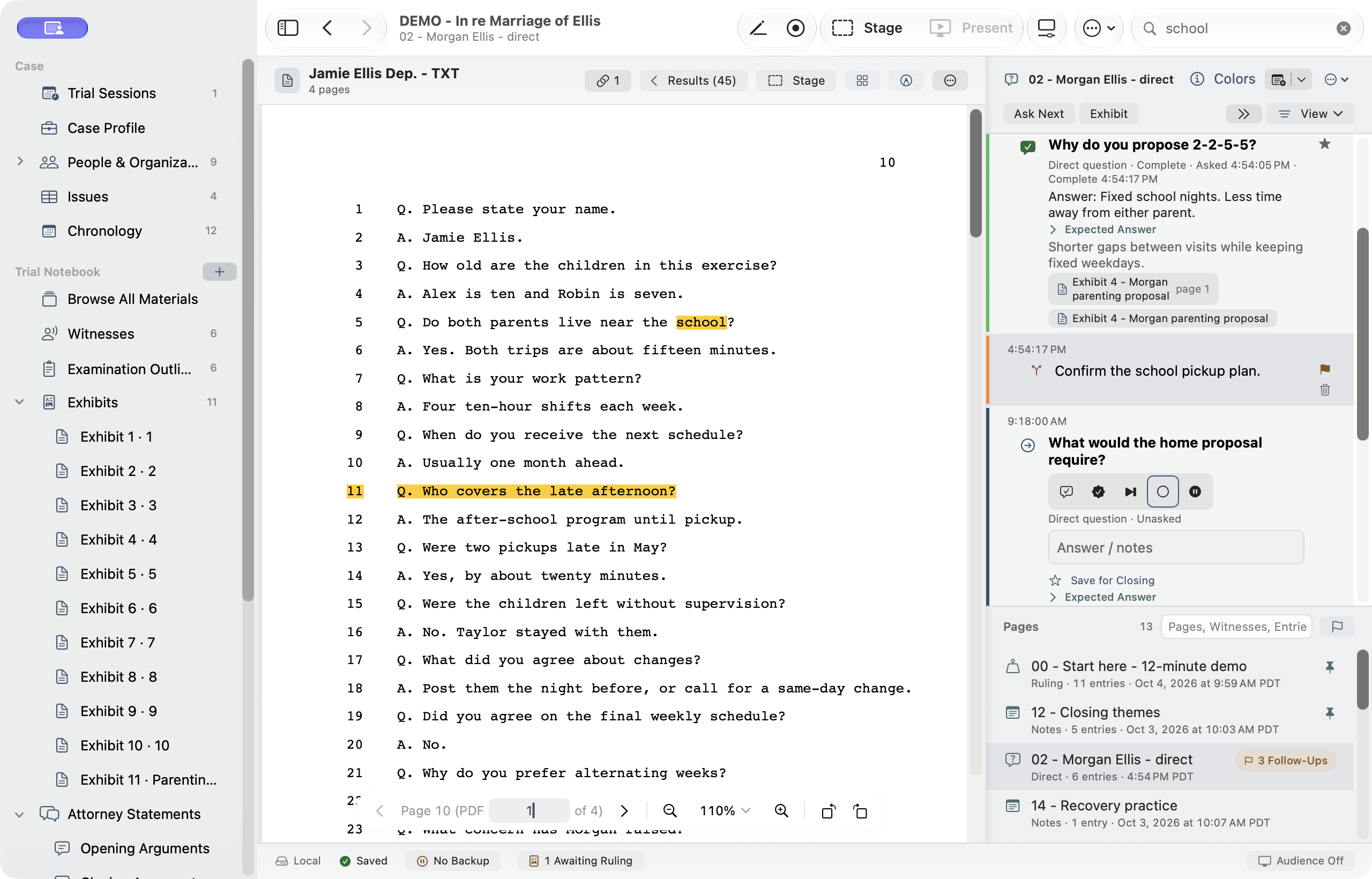
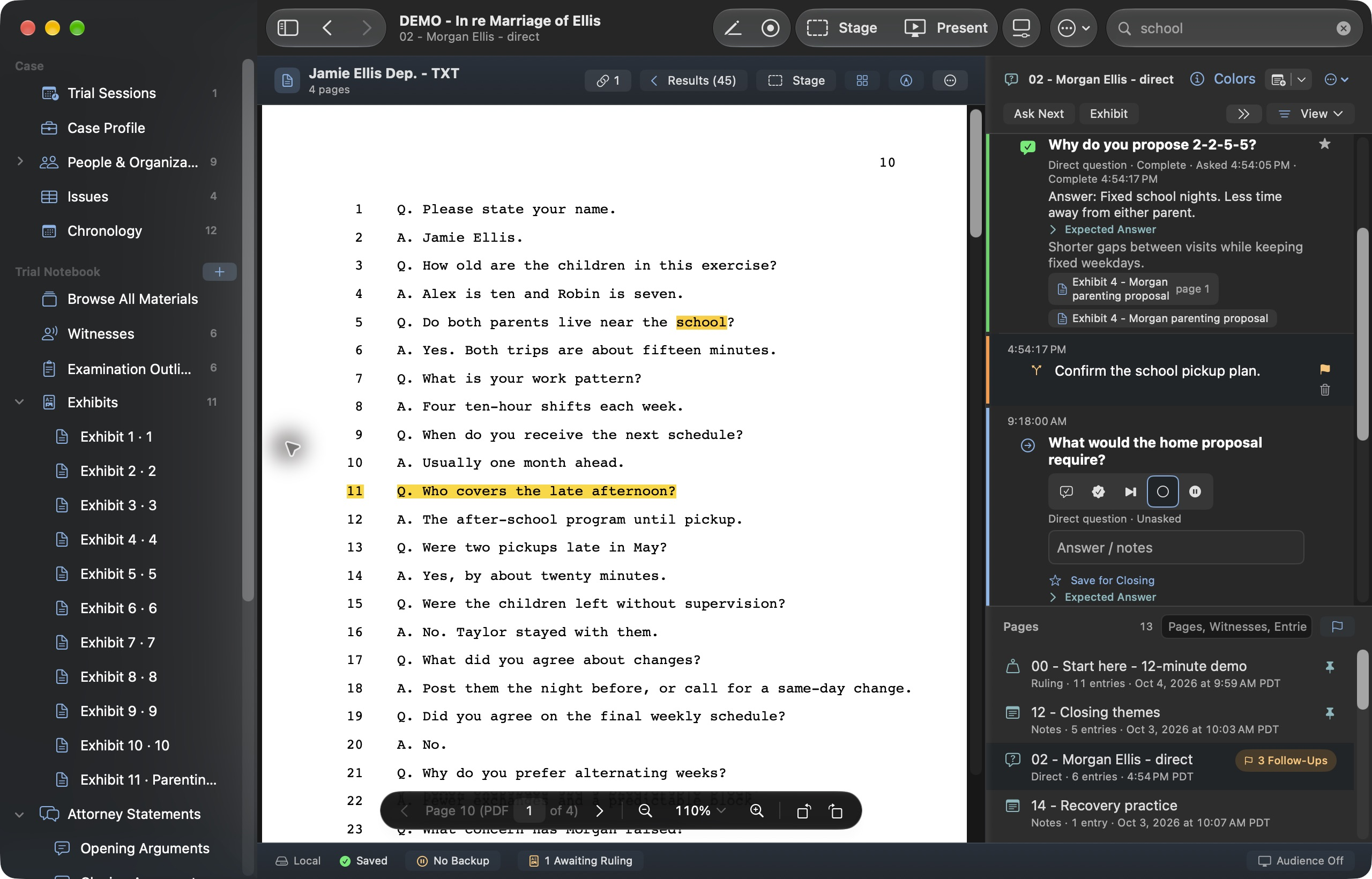
Type 45:12 and land on page 45, line 12.
Deposition and court transcripts open at printed page and line, from the PDF, text or Word file you already have.
- 10:14 AMThe proposed schedule, at its exact printed page and line.⌥⌘A
- Page and line, not file page
- The reader shows “Page 12 (PDF 5 of 7)” so a condensed four-up sheet never costs you the right page. Search results and binder footers use the printed number.
- Copy the citation⌥⌘A
- Select testimony and copy “Rivera Dep. 45:12–18”, with or without the quoted words, in Oregon or Bluebook style. Add it to a note with a link back to the lines.
- Stage the impeaching lines
- Put the selected lines on the courtroom screen, enlarged, after you've checked them privately.
- Honest refusals
- If page and line numbers can't be read reliably, it says so and shows you the page to inspect. Reporter viewer files (PTX, LEF, SBF) are not imported; use the reporter's PDF.
Notes that keep up with the witness.
Every entry is stamped to the second. Mark the question asked, type the answer under it, log the exhibit, flag the point for redirect, without leaving the page.
- 10:15 AMConfirm the school pickup plan on redirect.⇧⌘X
- Ask Next⌘↩
- One keystroke marks the next question asked and puts your cursor in its answer. It skips what you've skipped and never wraps back to the top.
- Log Exhibit⌘E
- Record the offer and the ruling as they happen, each with its own time. Shorthand works: 12 a admitted, 12 r rejected, 12 w withdrawn.
- Cross to redirect⌥⌘X
- Flag the point while the witness is still on cross, then Start Redirect turns every open issue into a redirect question, each linked to its source.
- Save for Closing⌥⌘U
- Star the answer you'll use in closing. Later, one command gathers every starred answer by witness, with links back.
- You can see it's saved
- Saved, Still saving and Not saved with Retry, always visible. Notes go to a recovery journal as you type.
Search opens Exhibit 47 at page 112, with your words lit.
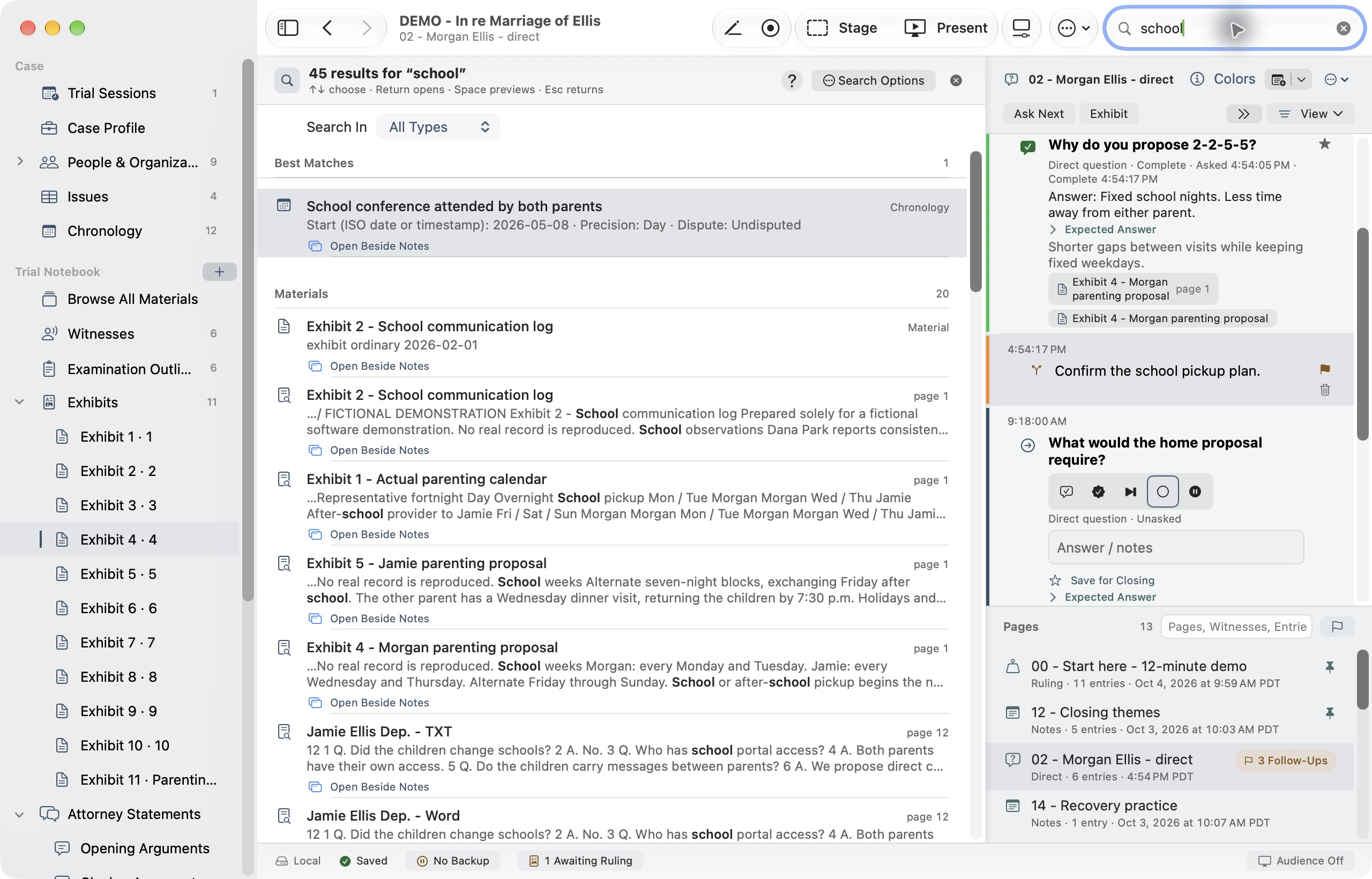
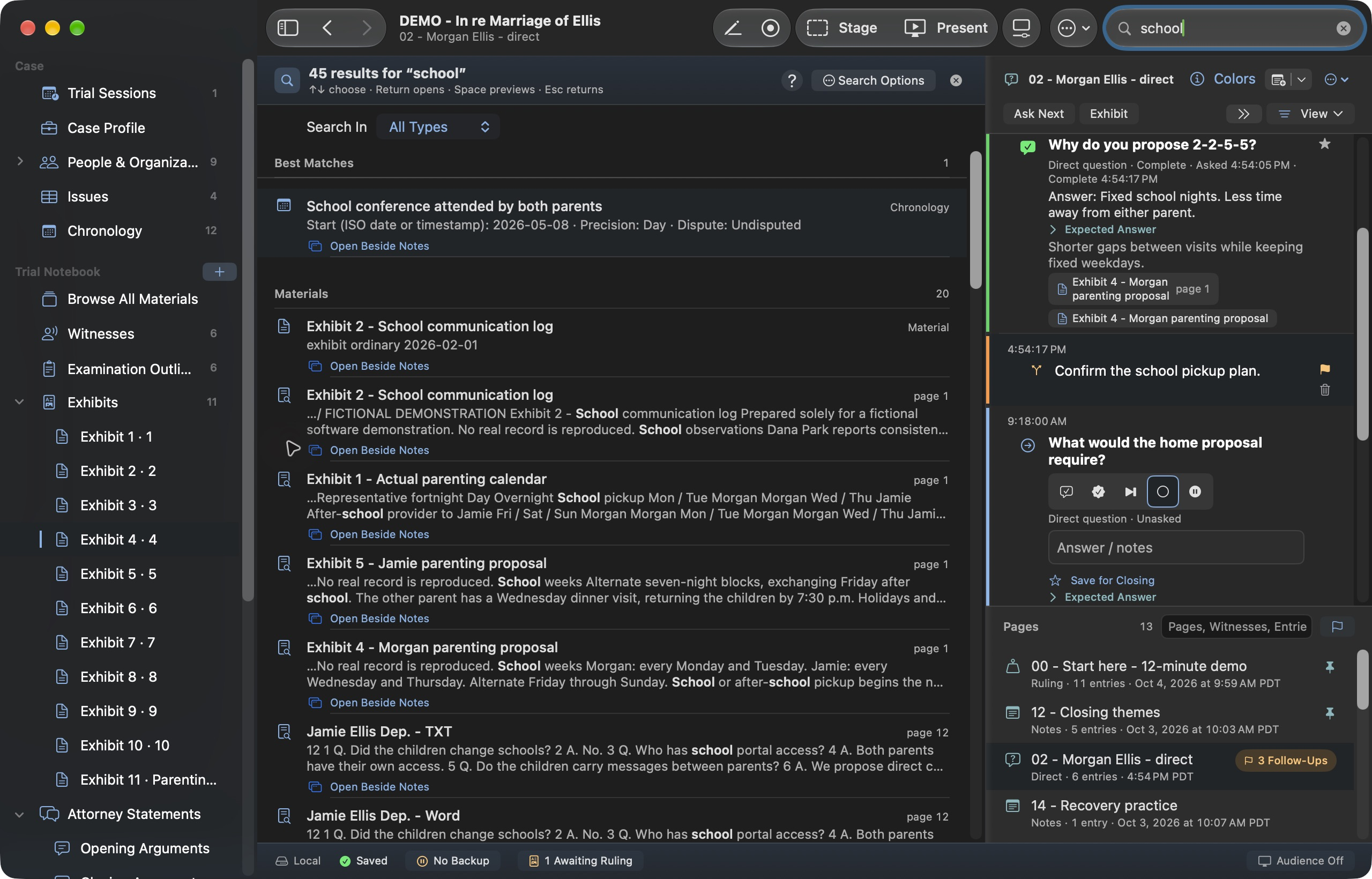
One search covers materials, notes, records and transcripts. Exhibit numbers appear instantly at the top. Press Escape and you're back where you were.
- 10:21 AMA search for “school” finds the source and the related notes.⌘K
- Opens at the page, highlighted⌘K
- A hit on page 112 opens page 112 with the term highlighted, not page one. Option-Return opens it beside your notes instead.
- Escape puts you back
- Search, look, press Escape, and the reader, zoom, selection and your cursor are exactly where you left them.
- Filters in plain words
- ex:47, page:3, witness:“Alex Rivera”, status:admitted, after:, before:, in:library. Save a search and run it every morning.
- Scans read on your Mac
- Text recognition runs locally, so a scanned contract searches like a digital one and matches are highlighted where they were found.
- Related meaning, if you want it
- Optional meaning search finds a note about a shipment “arriving late” when you searched “missed delivery”. Word matches come first; related passages are labeled.
Nothing reaches the jury until you choose Present.
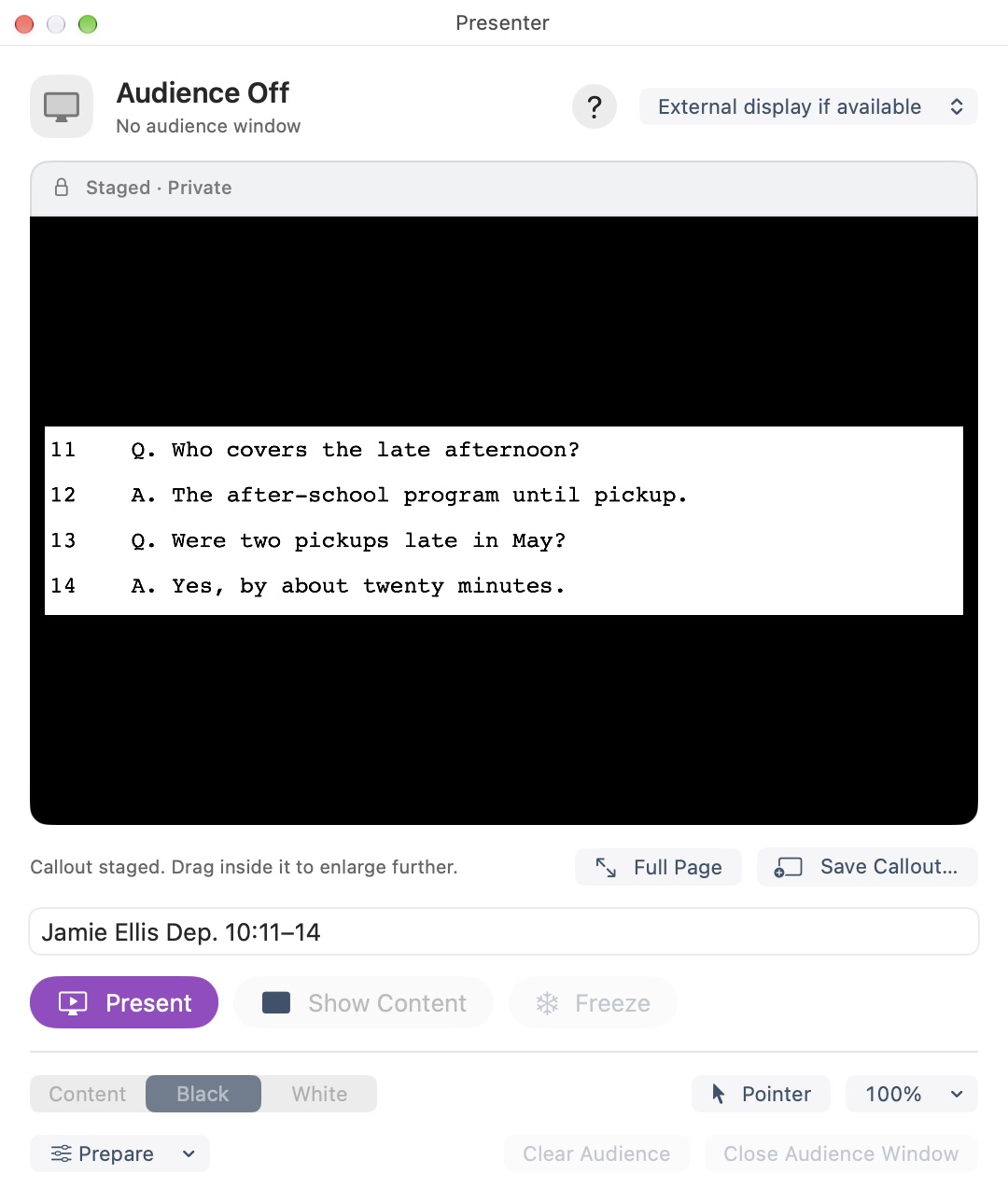
You stage privately, check it, then present. The courtroom screen is a separate window on its own display, and your private panels move off it automatically.
- 10:23 AMEllis deposition · private callout⌃⇧⌘↩
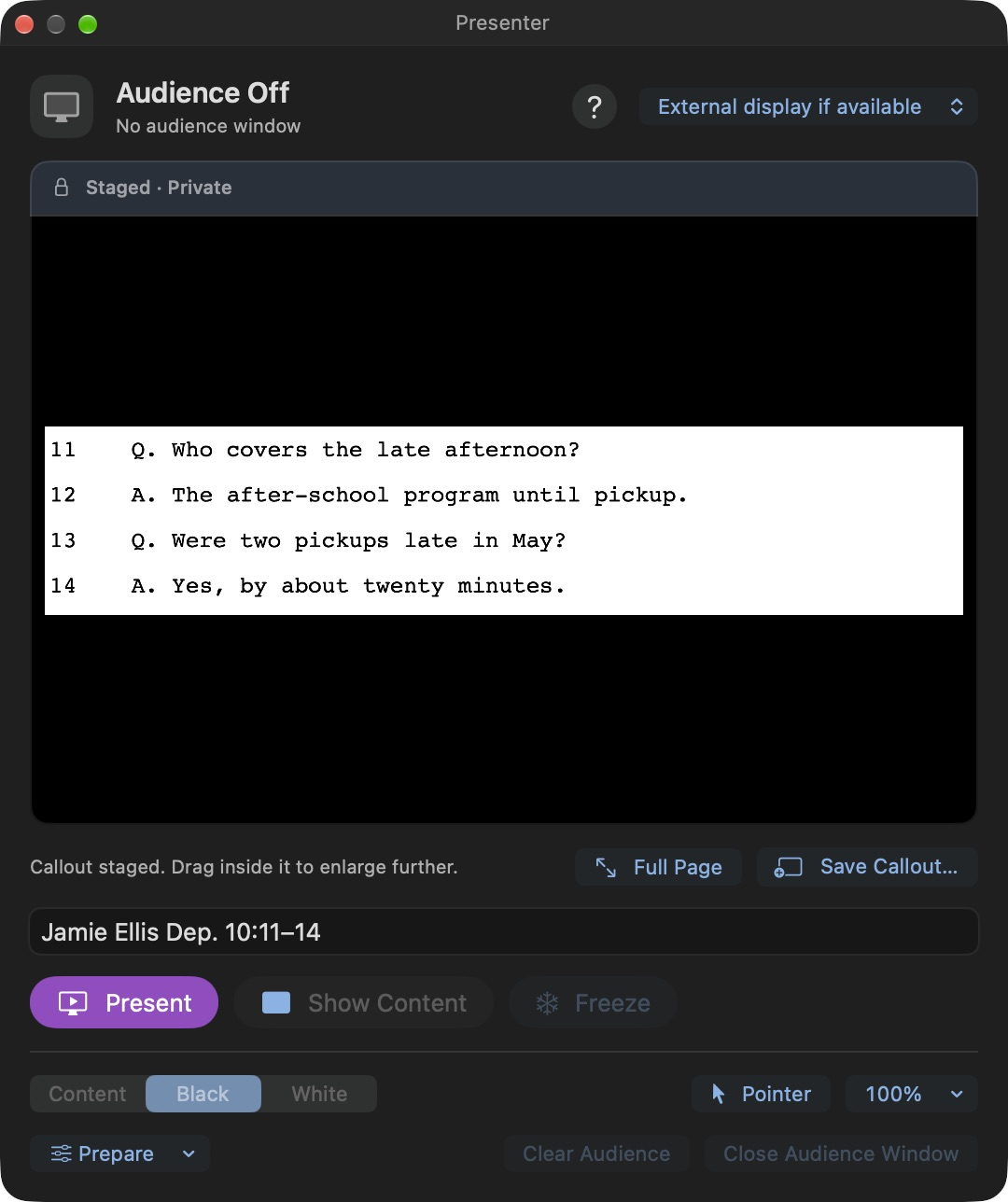
- Stage, check, Present⌃⌘S
- Prepare the next exhibit in the private preview, see its recorded status on the staging bar, then send it. Counsel-only marks never appear.
- Blank, from anywhere⌃⌘B
- Black or white out the courtroom screen with one keystroke, even while another window has the keyboard. Press again to restore.
- Freeze while you prepare⌃⇧⌘F
- Hold what the room sees, including video and the pointer, while you set up the next item.
- Callouts, side by side, text cards
- Drag across the preview to enlarge the signature or the key sentence. Show the prior statement next to the trial exhibit. Put only the words you choose on screen.
- Mirroring and cable warnings
- A red Display Mirrored warning if the room would see your notes. If the projector cable is pulled, the screen comes back blank, not showing whatever was last on it.
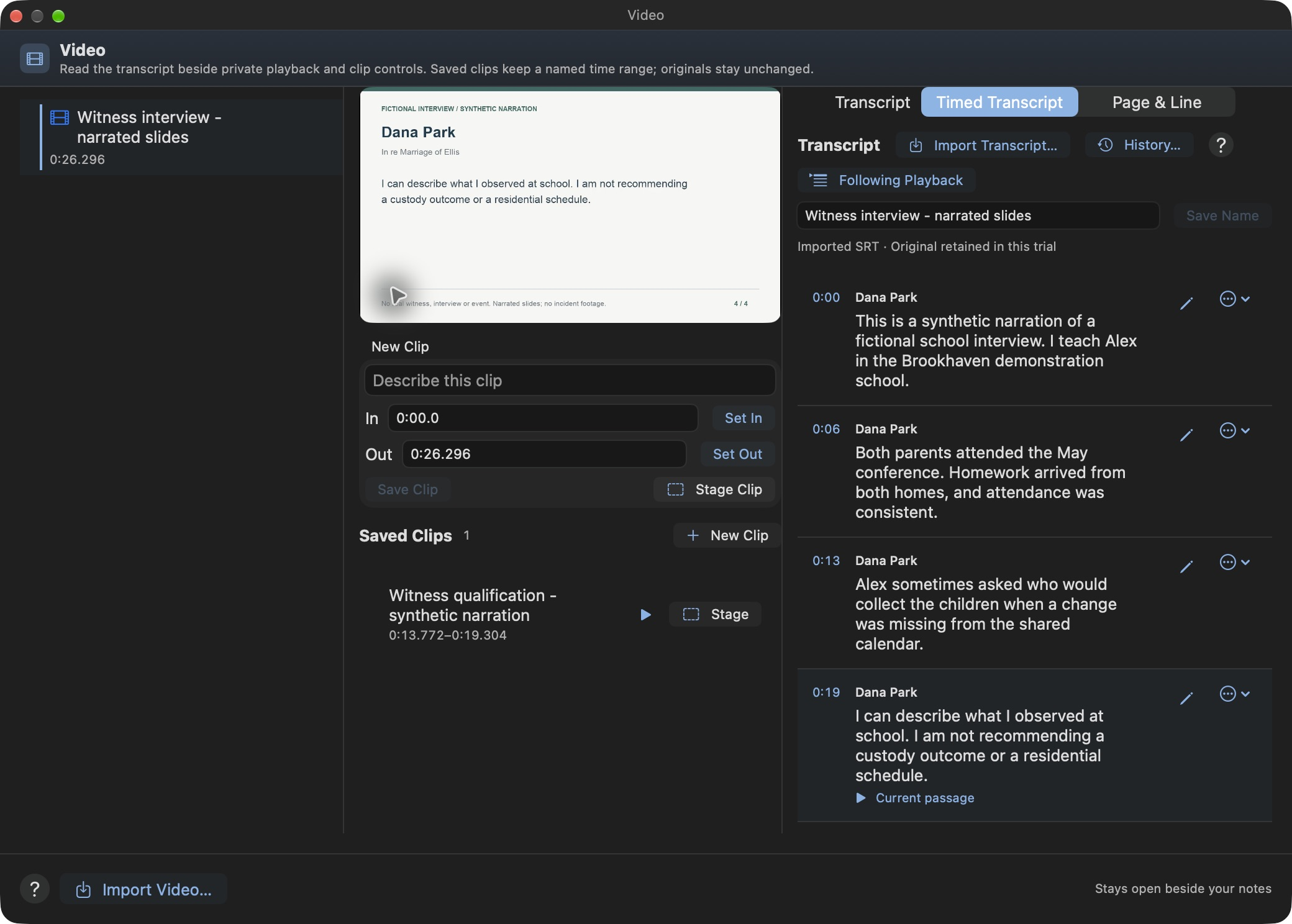
Hearings recorded, interviews transcribed, video that follows page and line.
Where the court permits, record the hearing and drop markers. Everything is transcribed on your Mac and nothing is uploaded.
- 11:40 AMMarker: the witness explains the school-night routine.⇧⌘R
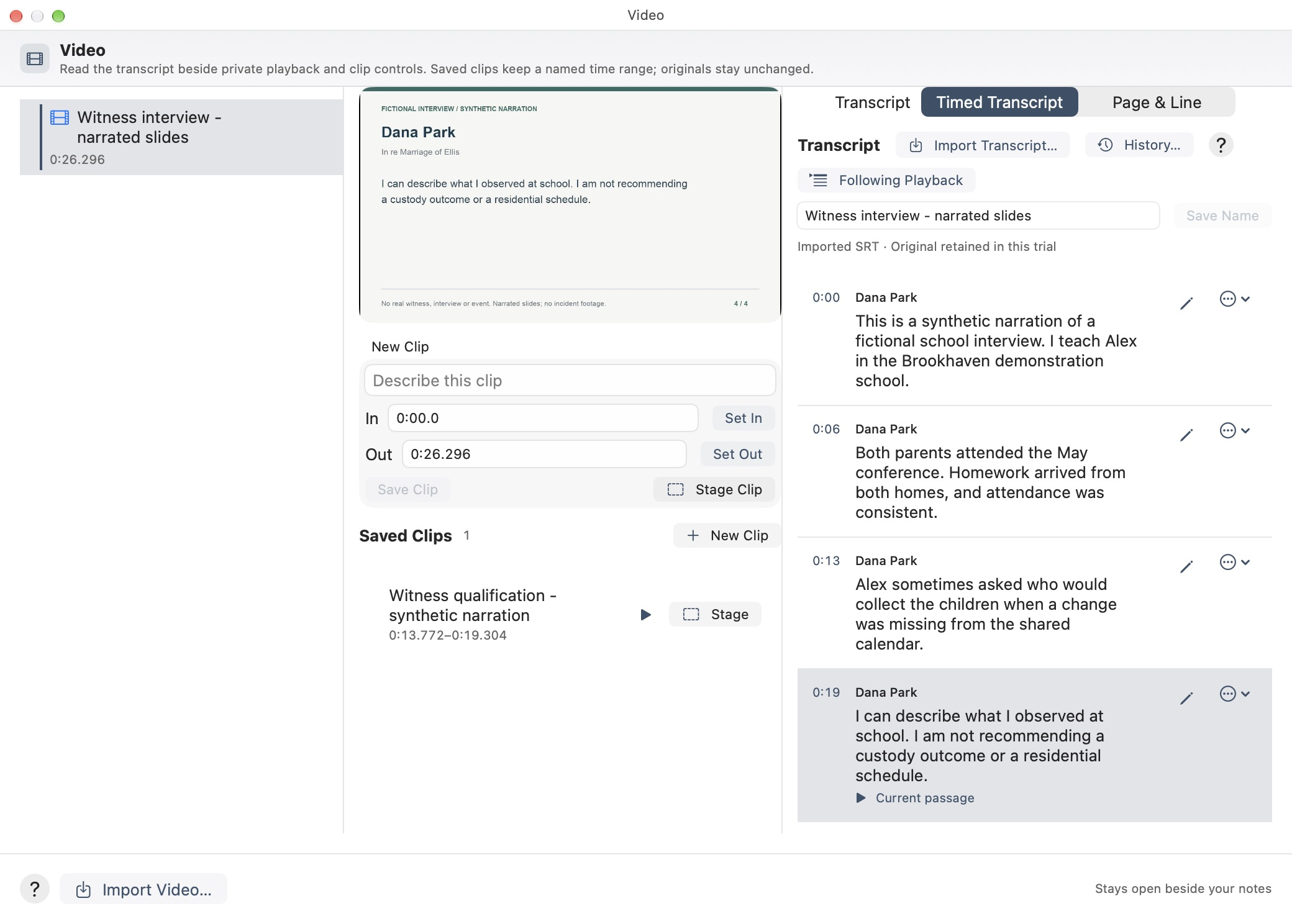
- Record where permitted⇧⌘R
- Start Recording keeps the audio inside the trial file, with markers at key moments and recovery if the Mac shuts off mid-recording.
- Transcribe on your Mac
- A draft transcript from Apple's on-device speech recognition. It follows playback; corrections keep the machine text beneath.
- Deposition video, synchronized
- Pair the reporter's numbered PDF or Word transcript with its CSV or JSON timings, or enter timings by hand, and follow page and line as the video plays. Make a clip from consecutive lines.
- Timed transcripts
- Attach SRT, VTT or JSON captions to a recorded interview or hearing. Cite a moment as “Lane Interview 12:34–13:02” and search by speaker.
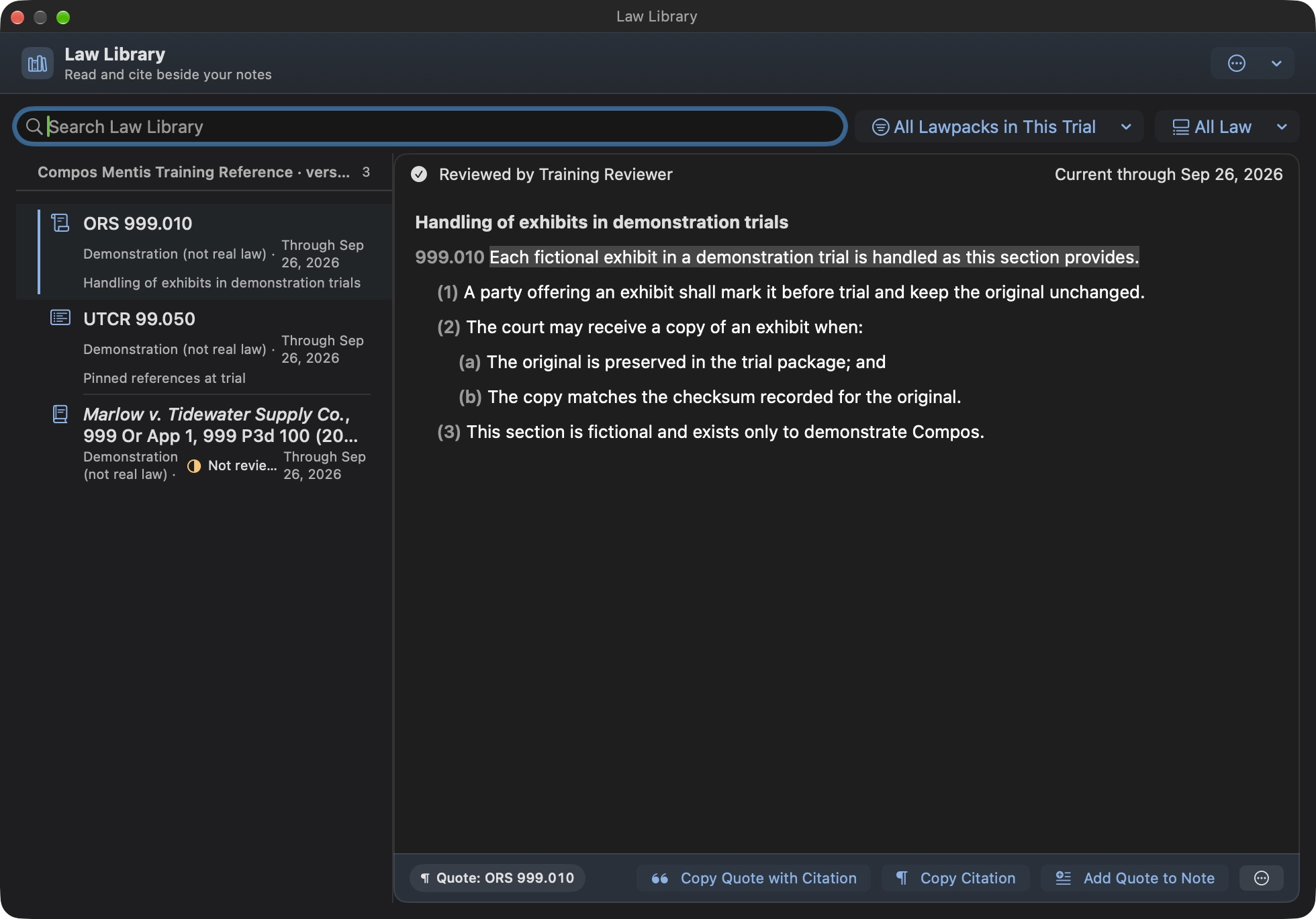
The law you rely on, word for word, with no connection.
Lawpacks keep statutes, rules and opinions on your Mac. A trial pins the version you prepared with, so nothing changes under you in court.
- 1:32 PMObjection, hearsay. Overruled under FRE 803(6).
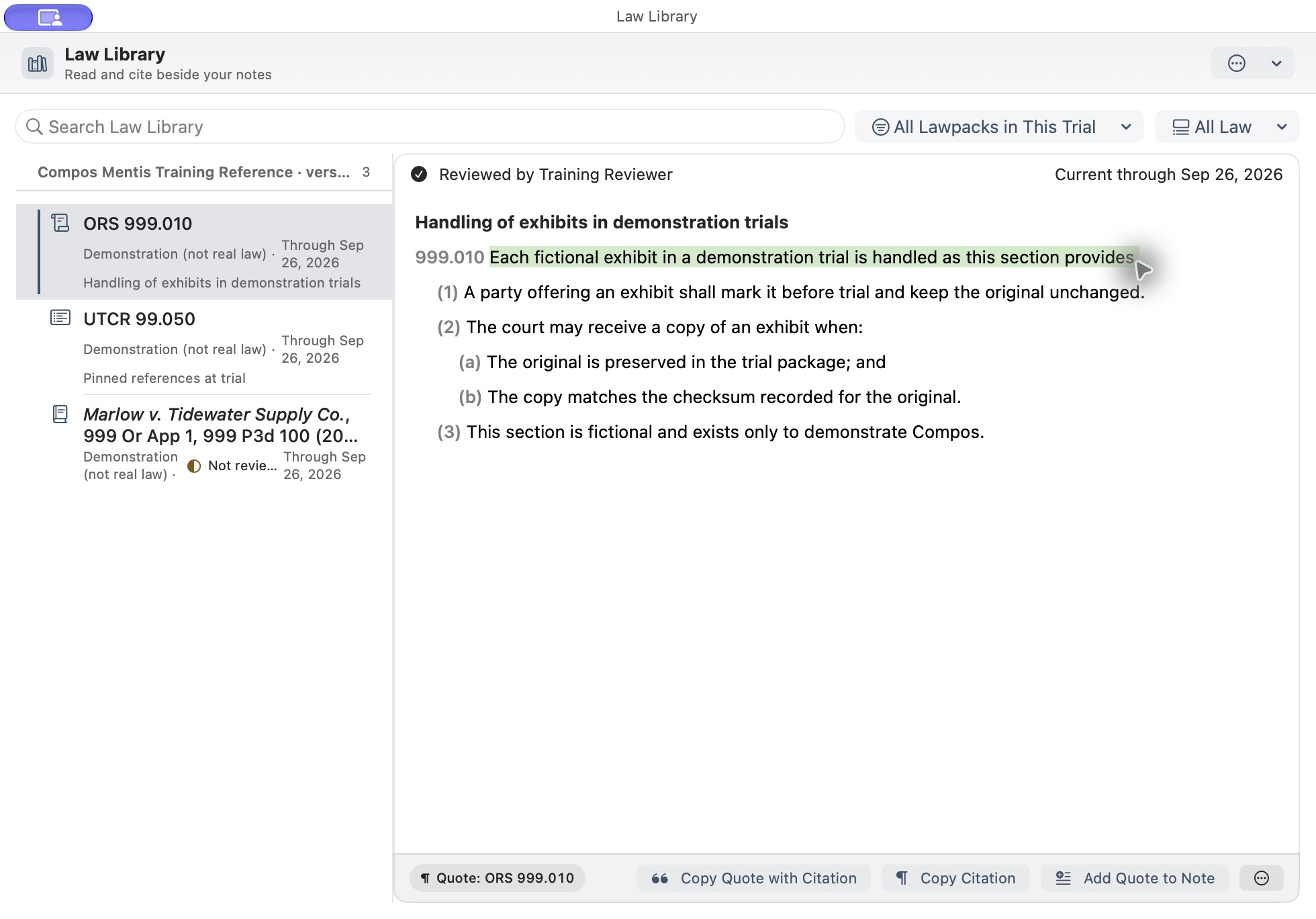
- Quote with a pinpoint citation
- Copy the statute's words with its citation, or drop the quote under the note you're writing. Summaries are never quoted or cited.
- Oregon or Bluebook
- ORS 107.105(1)(f), or Or. Rev. Stat. § 107.105(1)(f). Your choice; existing notes keep their wording.
- Build your own with your own account
- The Lawpack Builder uses Anthropic or OpenAI under your own API key, only for the sources you add, after you give permission. Files that look like pleadings stay on your Mac by default.
- Review before it counts
- Read each authority against its source and accept it under your name. Published packs show their publisher, version and current-through date.
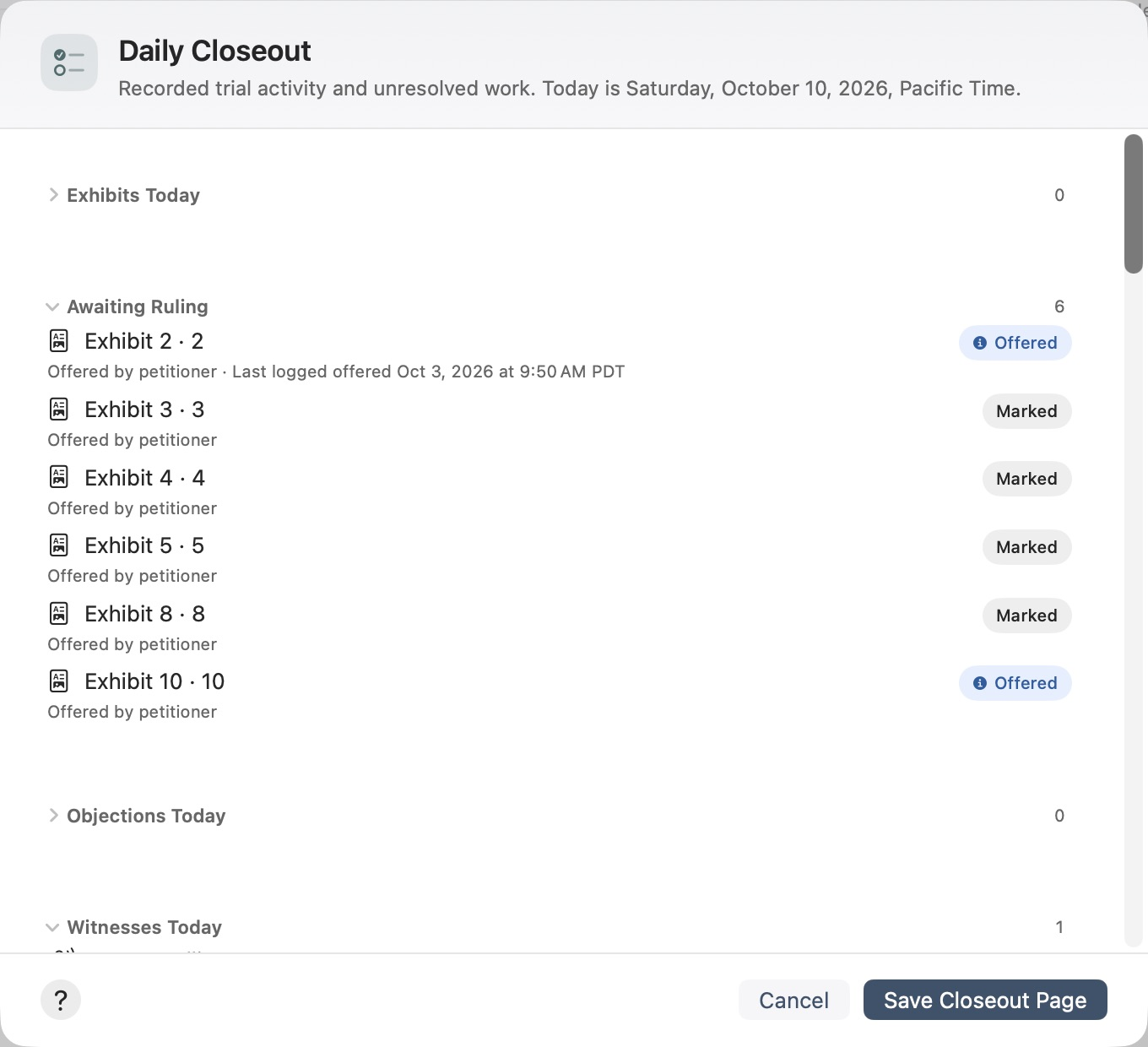
Before court, Preflight. After court, Daily Closeout.
One check before you walk in; one page at the end of the day that says what happened and what's still open.
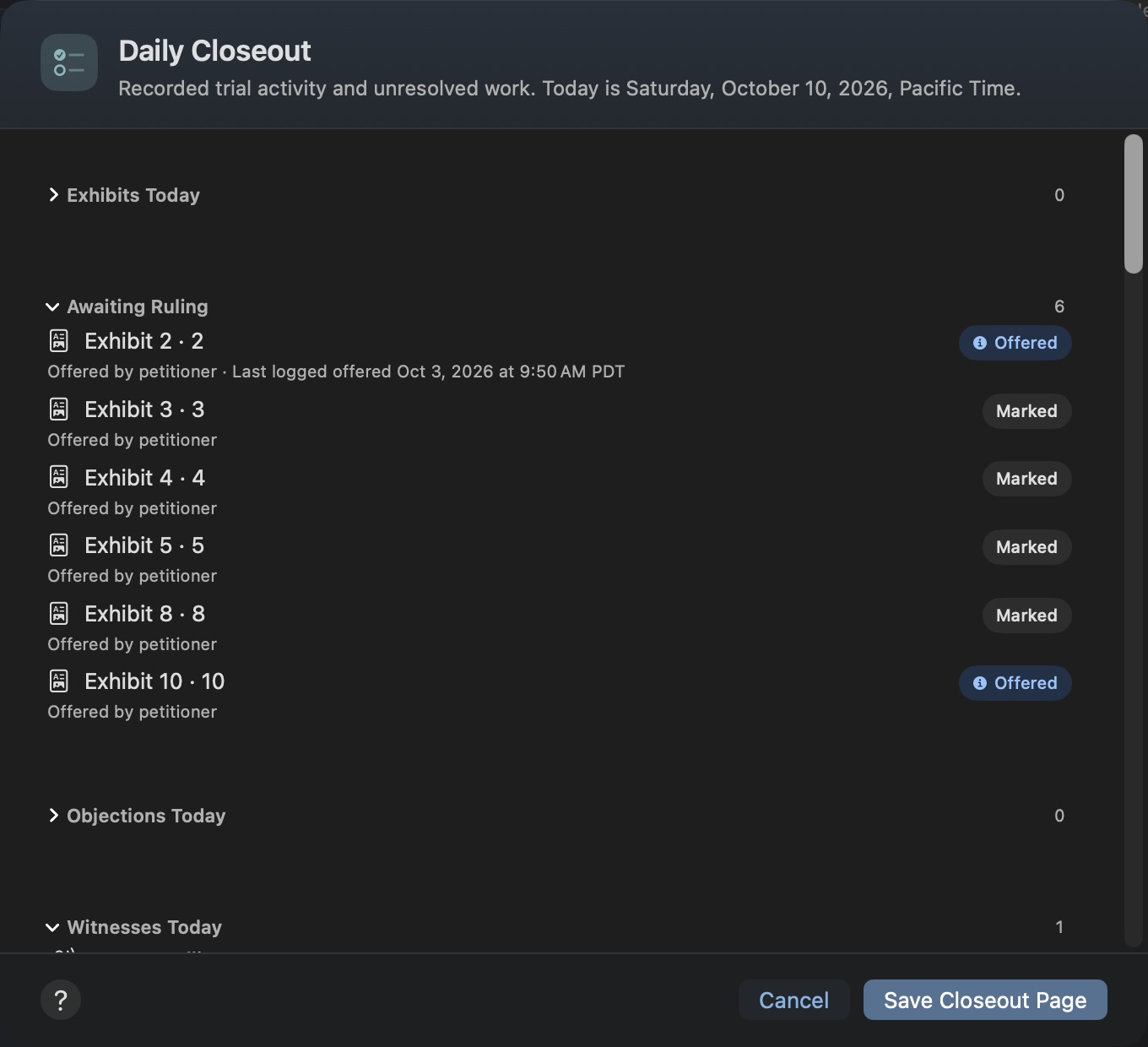
- 4:30 PMSix exhibits logged, one awaiting a ruling, two follow-ups for tomorrow.⇧⌘D
- Preflight⇧⌘P
- Saved work, file location, original files, backups, microphone, courtroom display, transcription and search readiness. Case readiness flags duplicate exhibit labels and missing materials.
- Trial Mode
- A courtroom layout: materials, the reader and your notes in view, preparation tasks paused. The app asks before closing while you're recording or presenting.
- Daily Closeout⇧⌘D
- Exhibits logged today, exhibits awaiting ruling, witnesses, rulings, what was presented, open follow-ups and remaining questions. Save a dated handoff page for tomorrow.
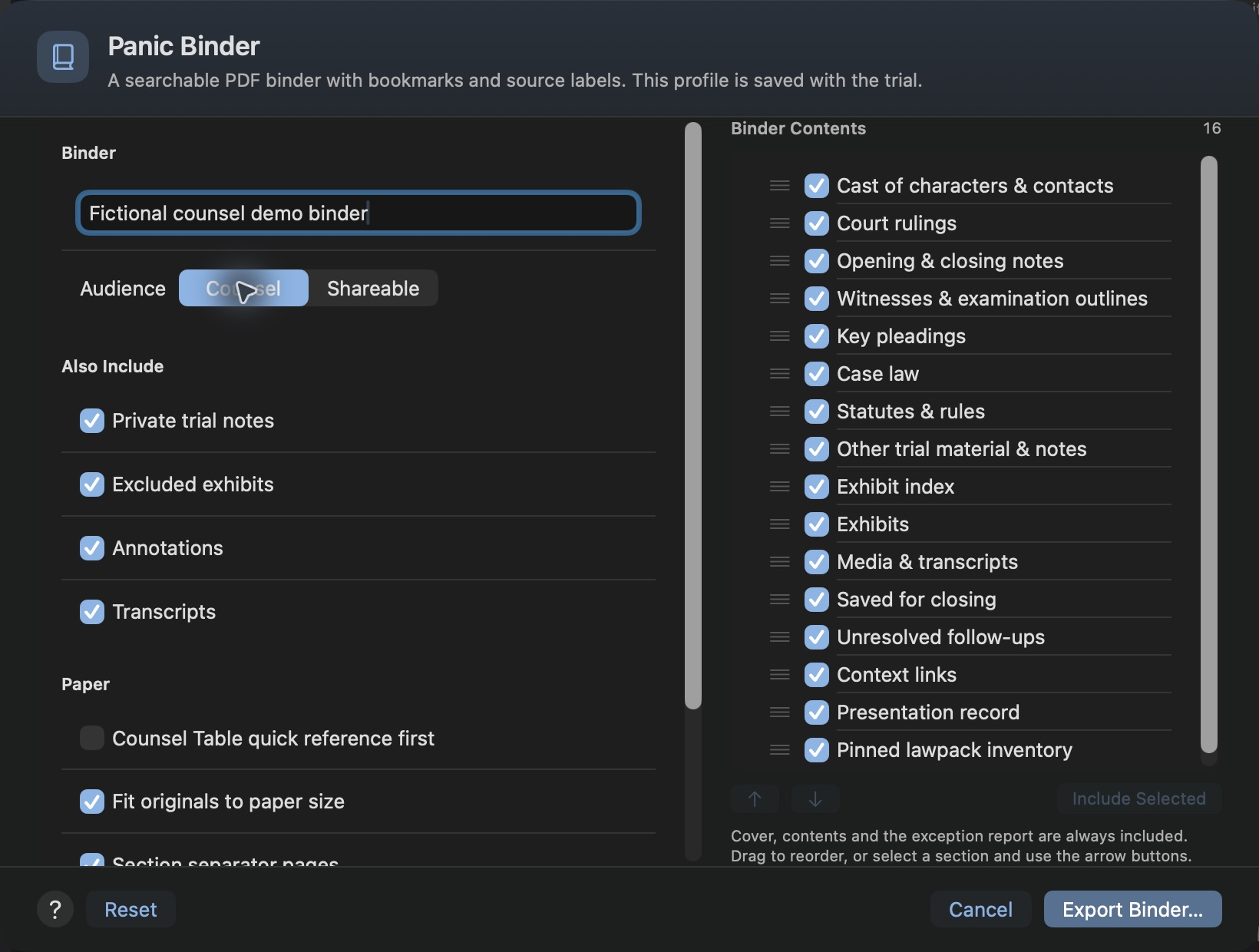
Keep the originals. Keep a way back.
Versions every few minutes, backups to the folder you choose, a recovery journal behind your notes, and a printable binder if the laptop dies.
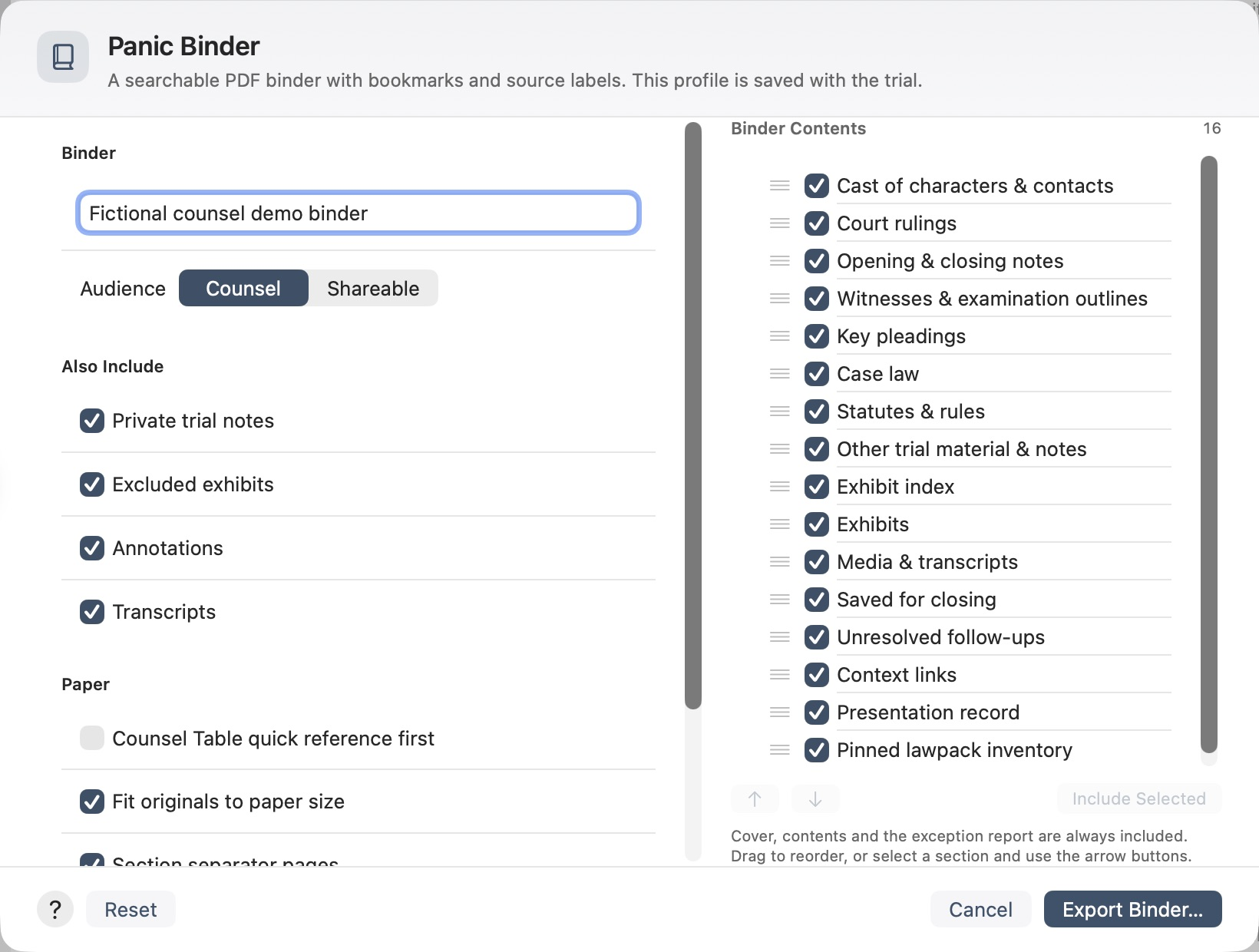
- 4:34 PMPanic Binder exported for tomorrow.⌥⇧⌘P
- Local versions⌘S
- Undo a bad hour by going back to how the trial looked at 10:30. Open an old version as a separate trial, or restore it.
- Recovery backups
- Versioned backups of the whole trial to iCloud Drive, OneDrive, Dropbox, Box, Google Drive or a shared drive, every 5 to 60 minutes.
- The Panic Binder⌥⇧⌘P
- One command makes a bookmarked, searchable PDF of the trial, ordered the way you choose, ready to print. A limited binder without your private notes goes to co-counsel or a client.
- Your trial stays yours
- Trial content is processed on your Mac and is never sent to an AI provider. Optional recovery snapshots go only to the backup folder you choose, which may sync to a cloud service. Licensing and app updates send no trial content; update checks and installation wait while you are in Trial Mode, presenting or recording.
A comfortable view, in every room.
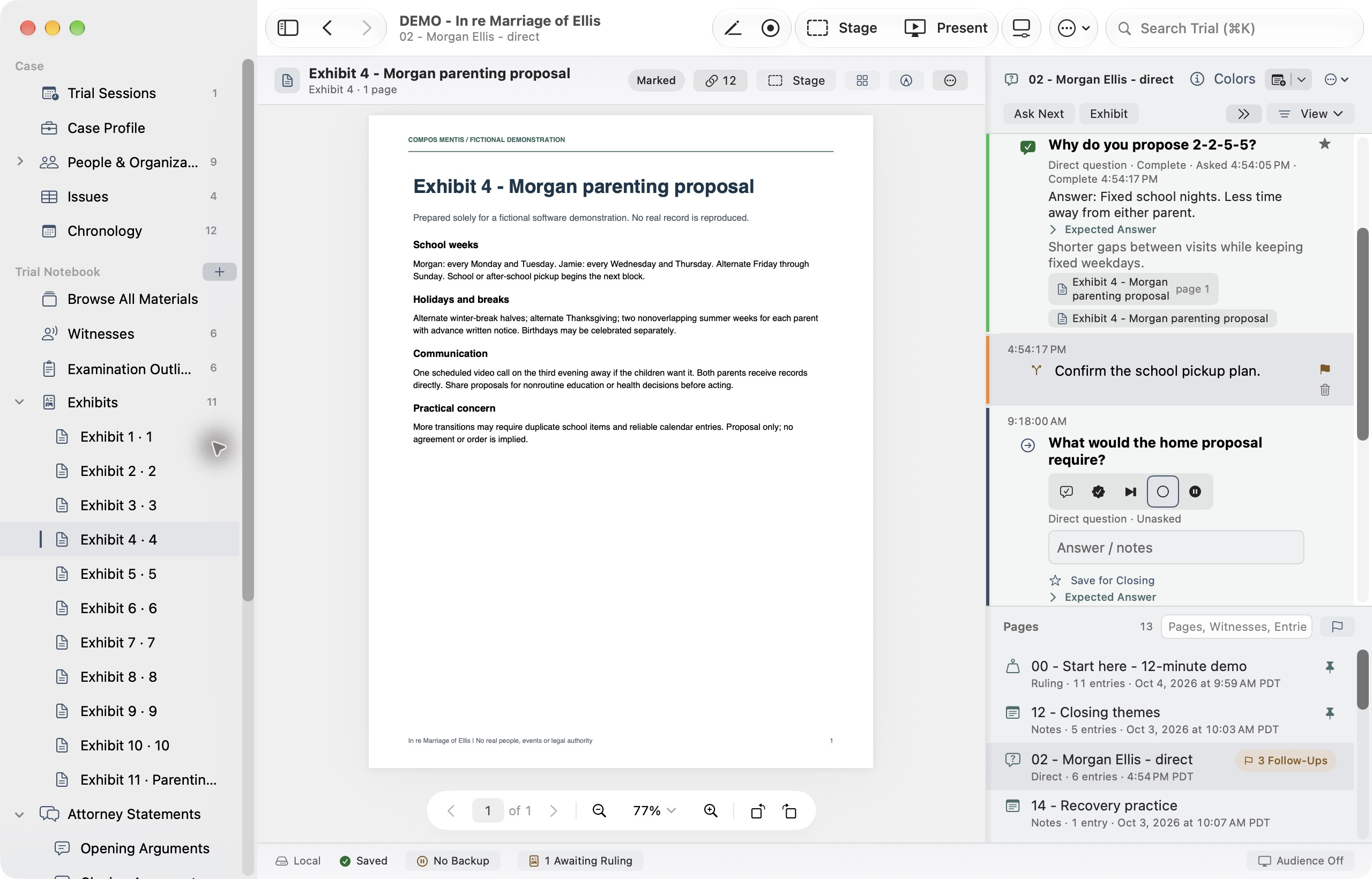
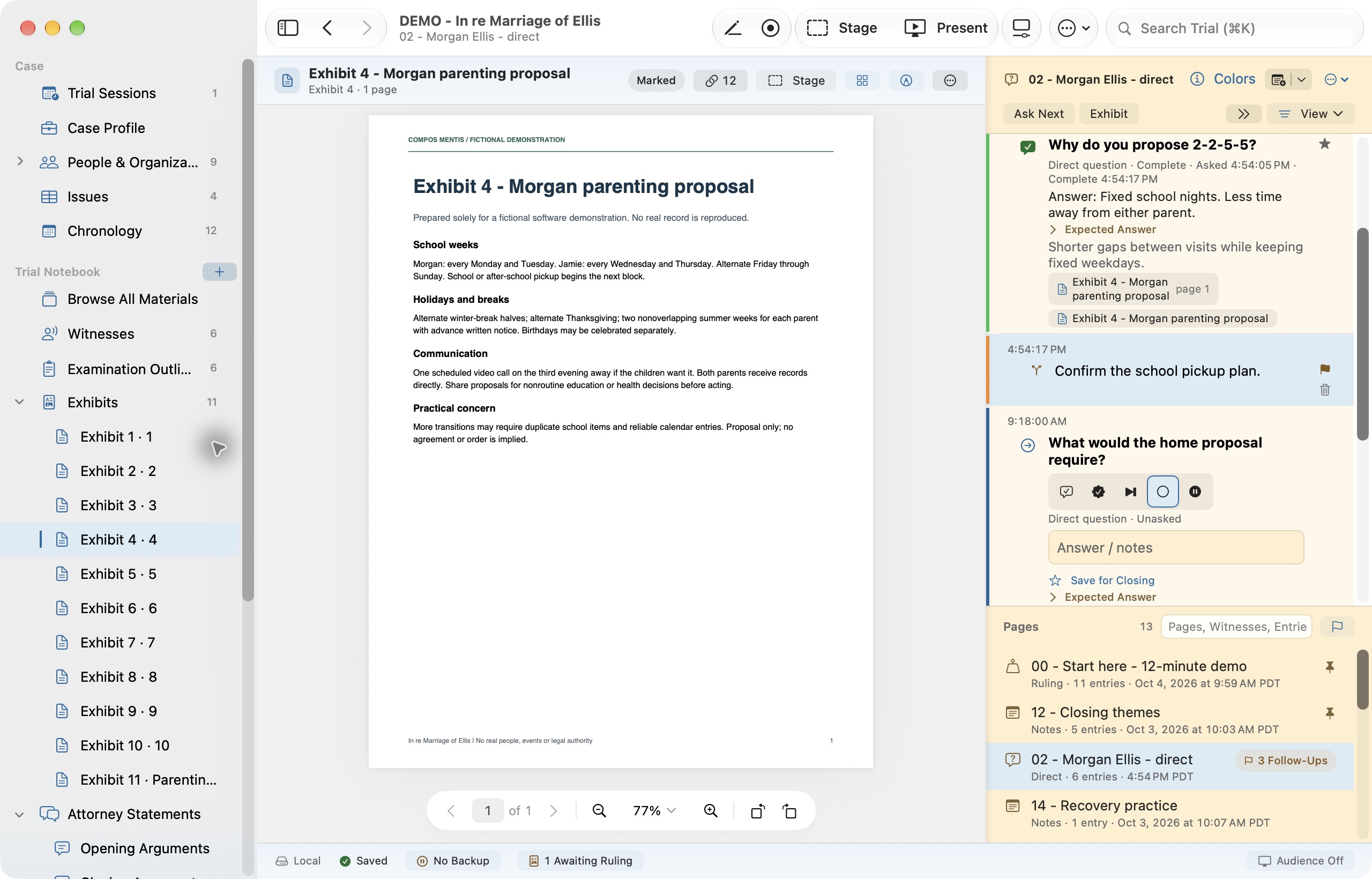
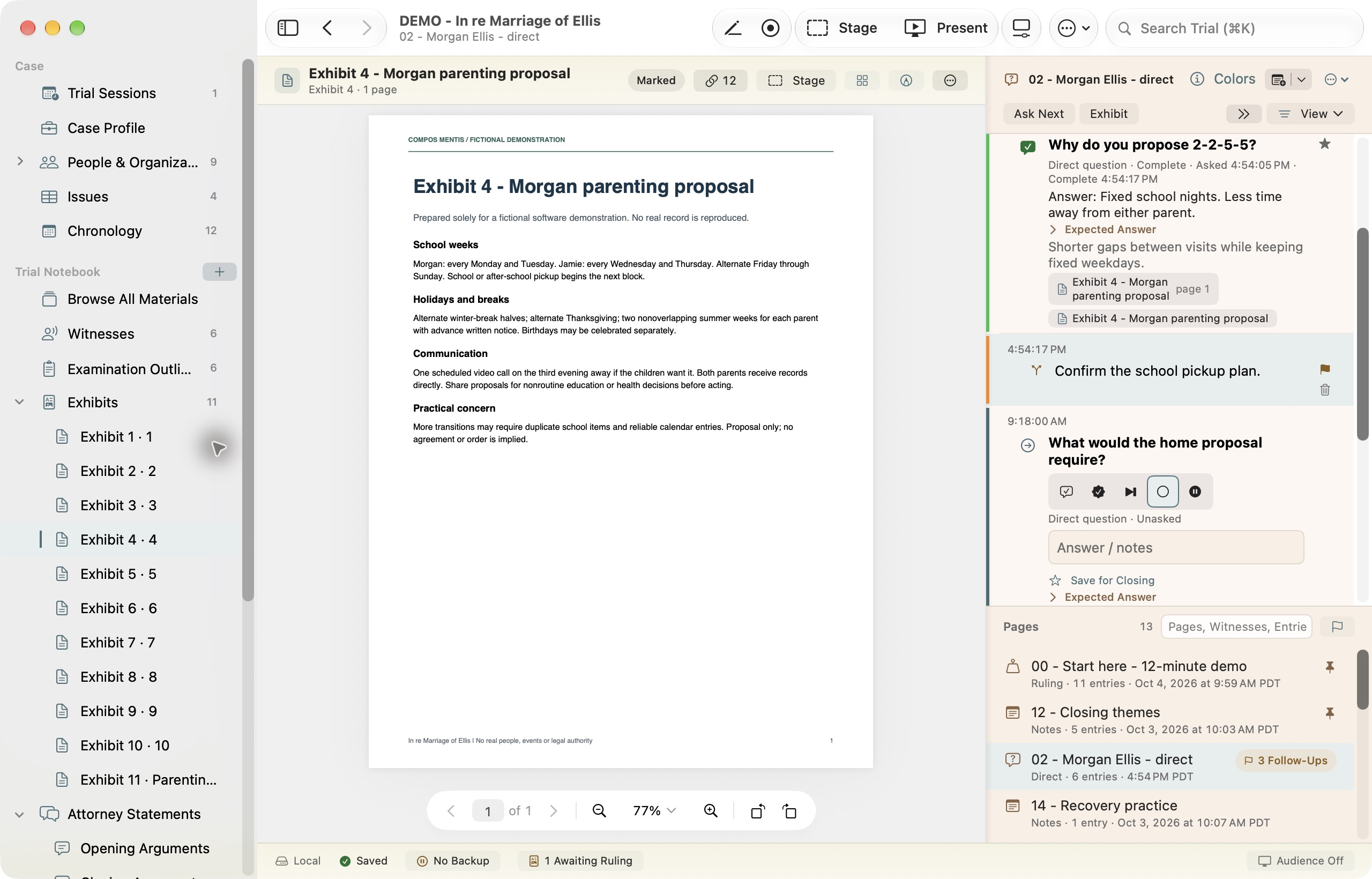
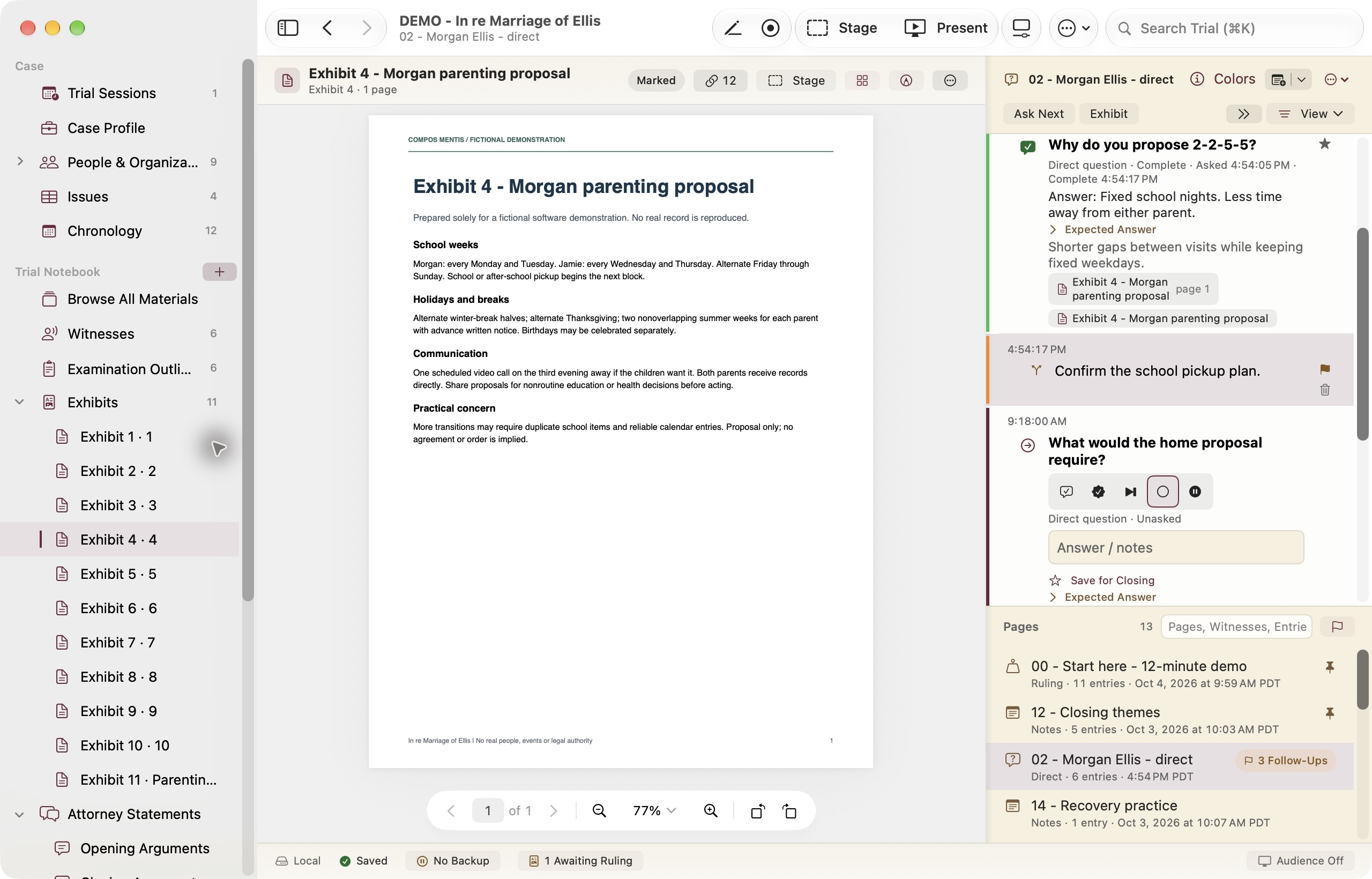
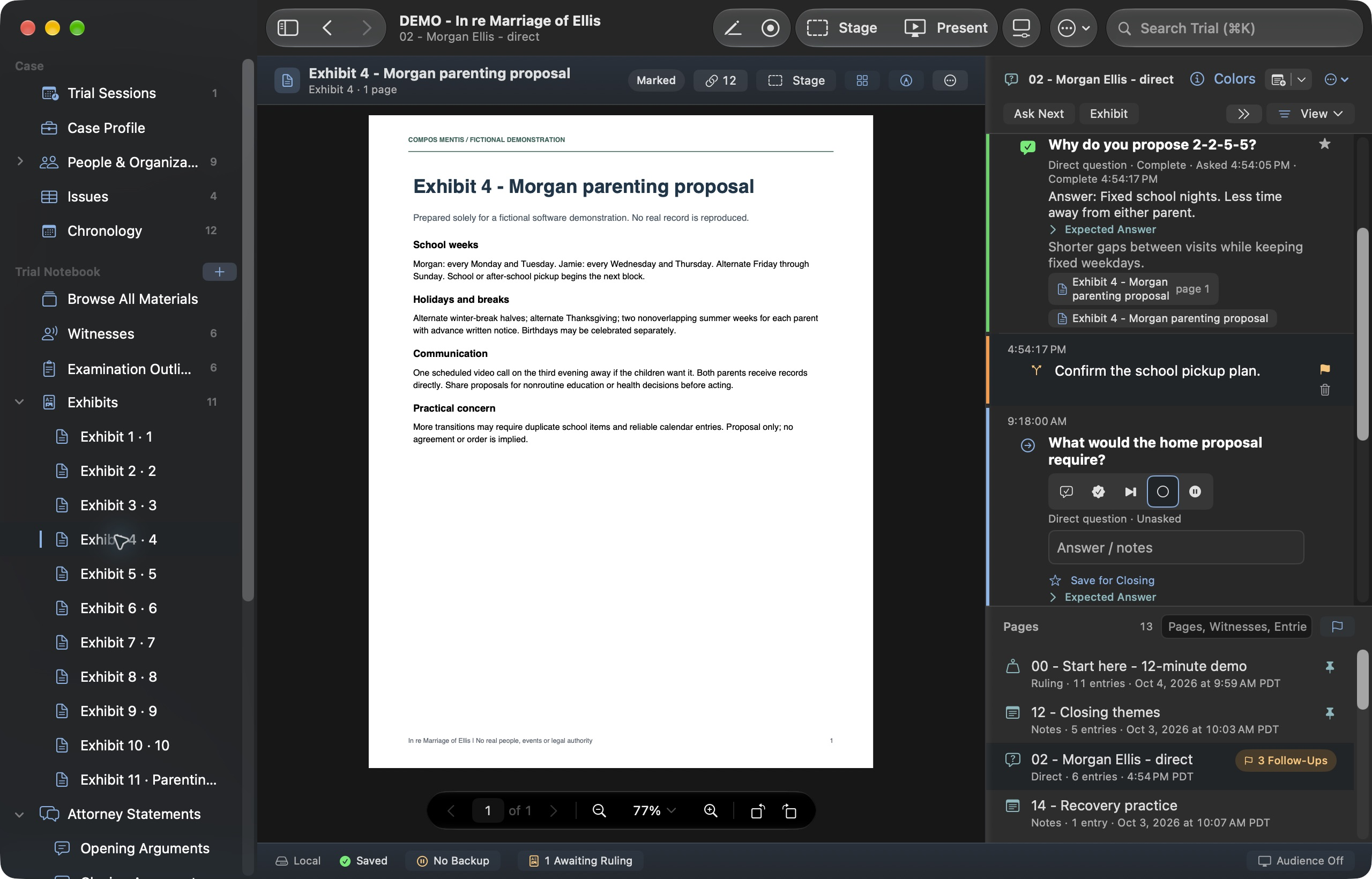
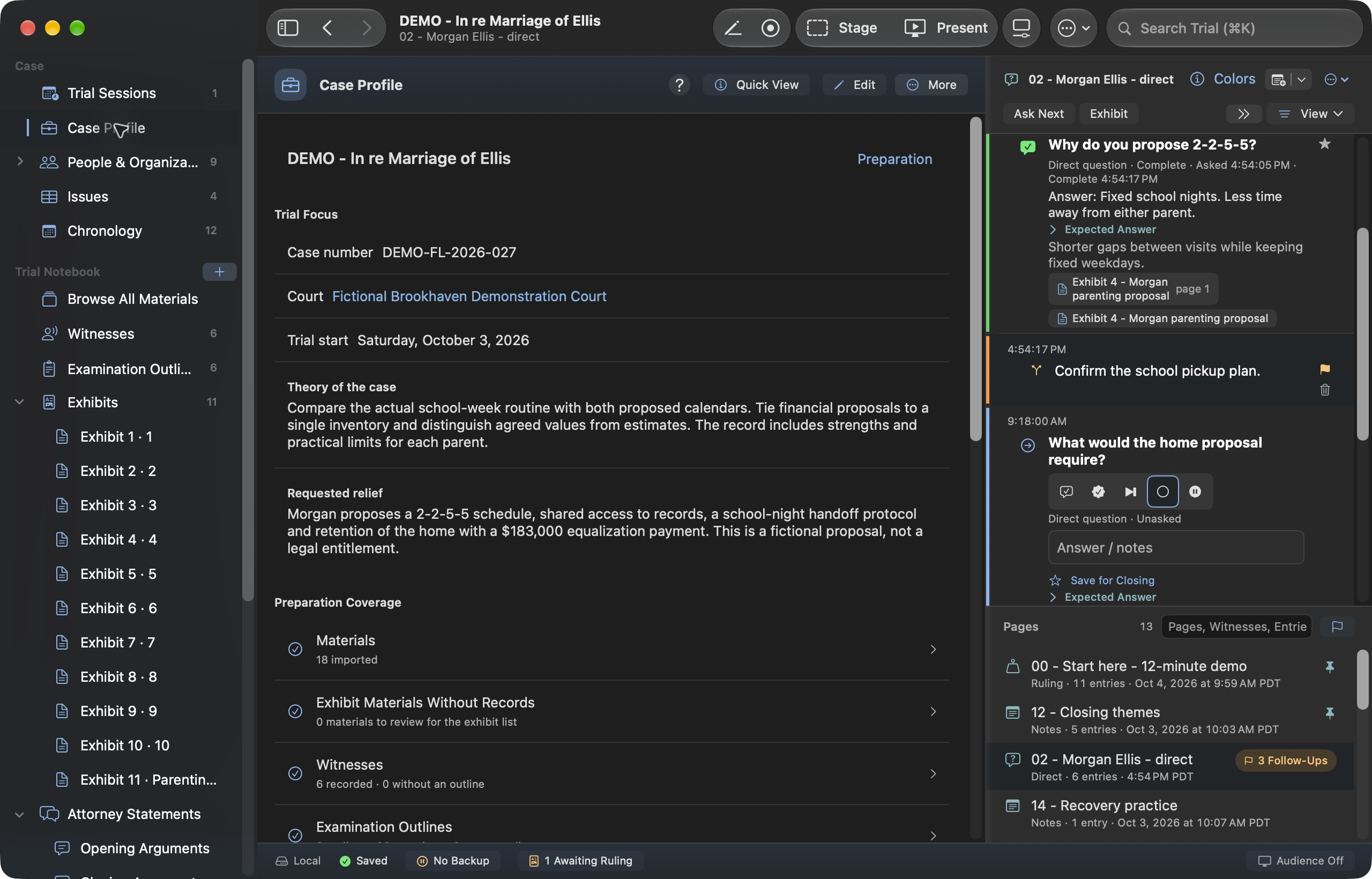
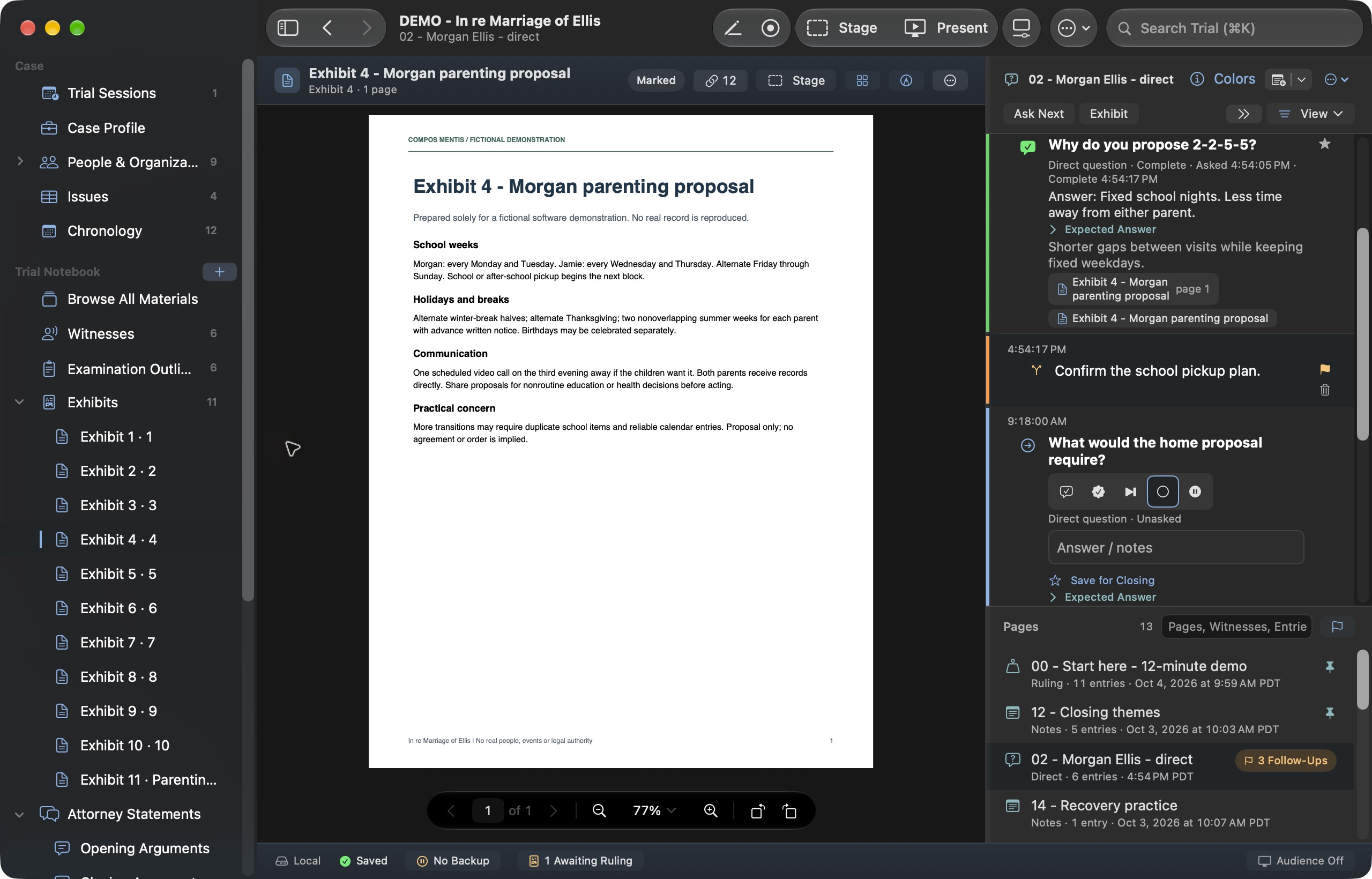
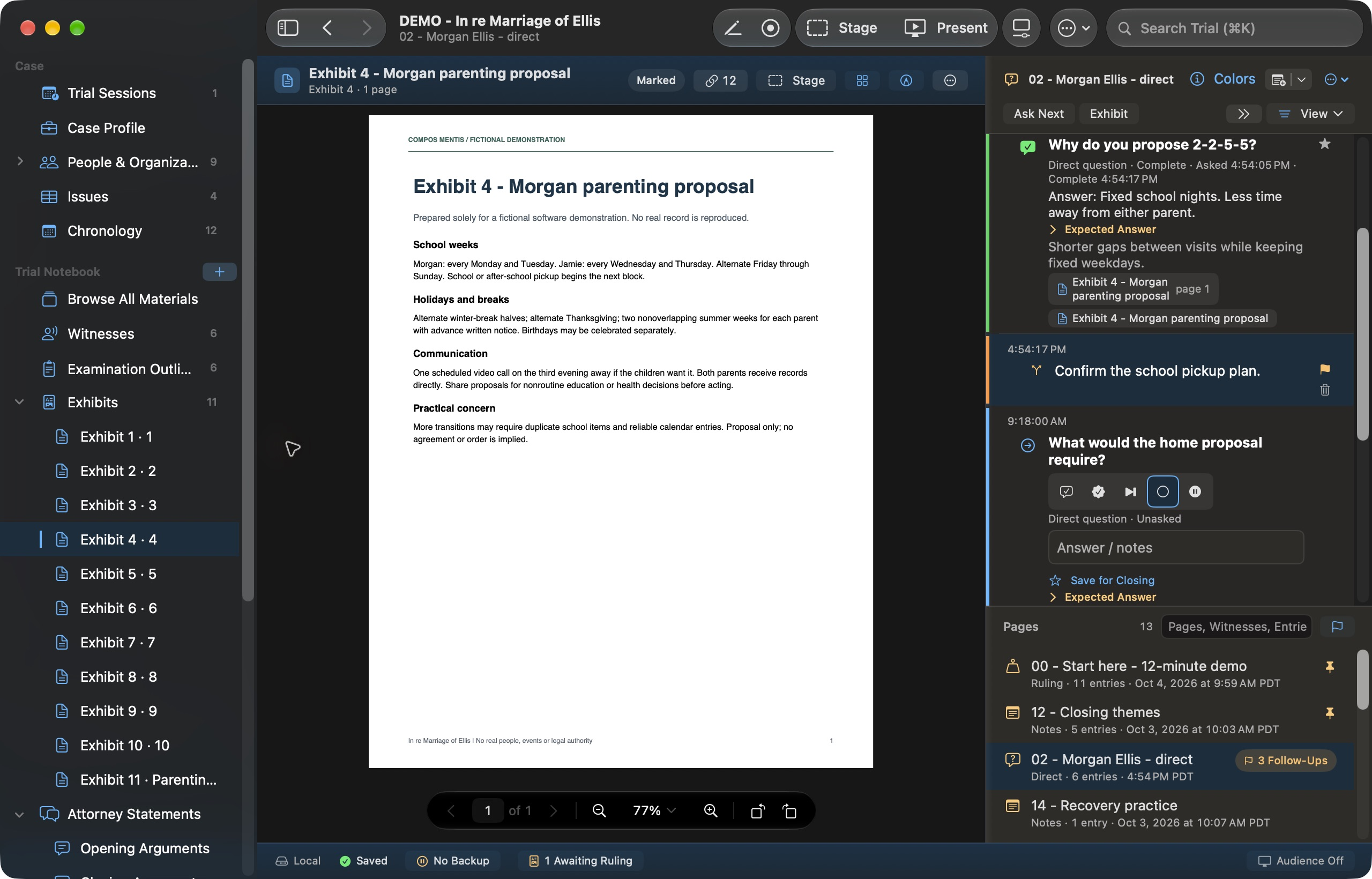
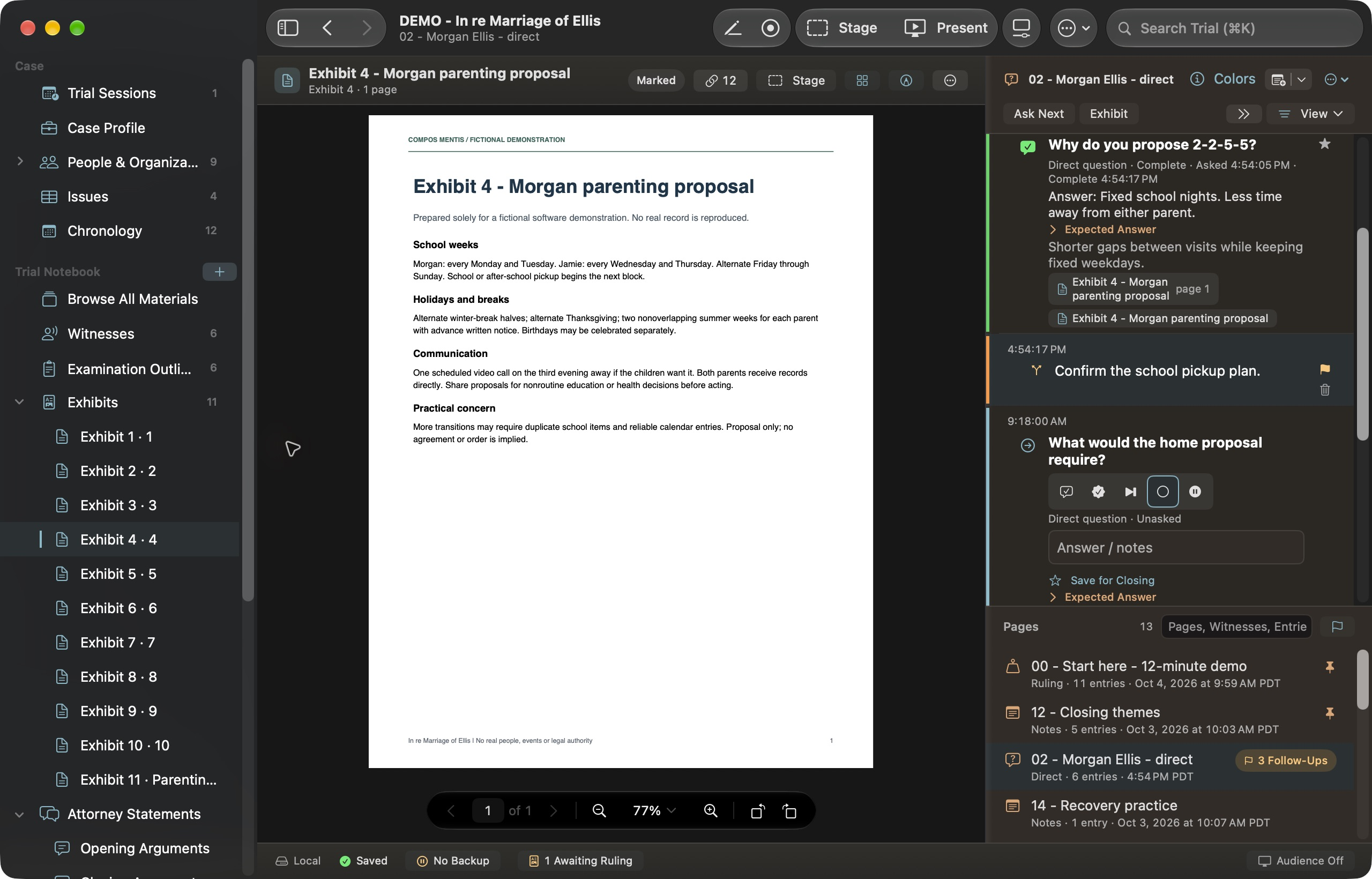
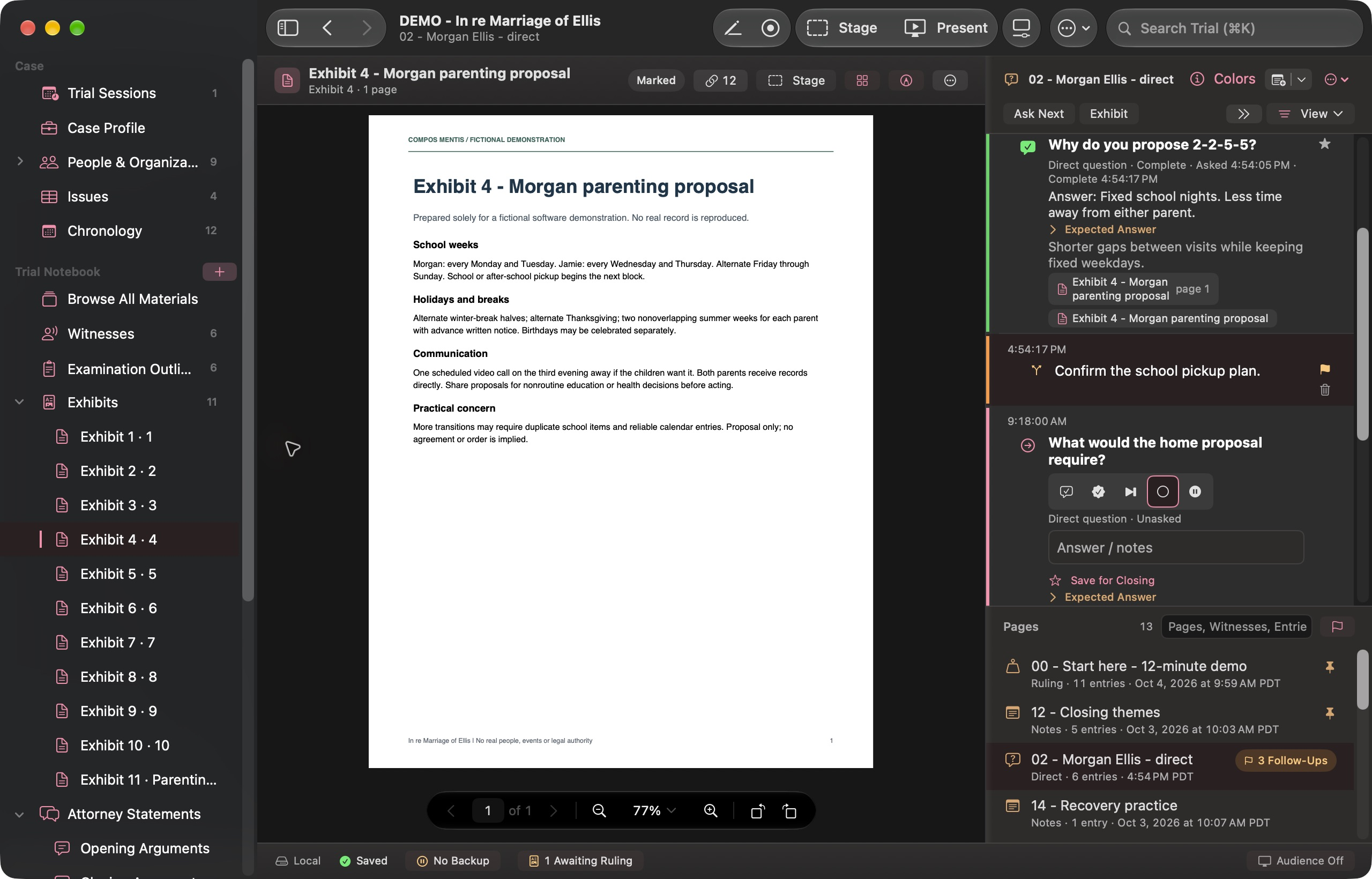
Choose light, dark or the Mac’s appearance. Eight palettes and your own custom colors carry through the workspace and its panels. Your original documents keep their colors.
Pay once. Keep it.
One year of a subscription suite buys Compos Mentis outright. Updates are optional, $249 a year, and the version you have keeps working whether you renew or not.
- 4:35 PMOf sound mind at trial.⌥⌘U
Three years: $1,097, against $1,800 and $2,700. Five years: $1,595, against $3,000 and $4,500.
| Years | Compos Mentis | A subscription trial suite | A deposition-video suite |
|---|---|---|---|
| 1 year | $599 | $600 | $900 |
| 3 years | $1,097 | $1,800 | $2,700 |
| 5 years | $1,595 | $3,000 | $4,500 |
Built at counsel table.
At counsel table, these are one keystroke away. Every one can be rebound.
- Quick Note⌘N
- Search Trial⌘K
- Ask Next⌘↩
- Log Exhibit⌘E
- Add Cross / Redirect Issue⇧⌘X
- Save for Closing⌥⌘U
- Blank All Audience Windows⌃⌘B
- Daily Closeout⇧⌘D